
Technical SEO Audit Checklist for Small Business Websites
A practical technical SEO audit checklist for small business sites. Covers crawlability, indexability, sitemaps, robots.txt, redirects, canonicals, and log file basics.
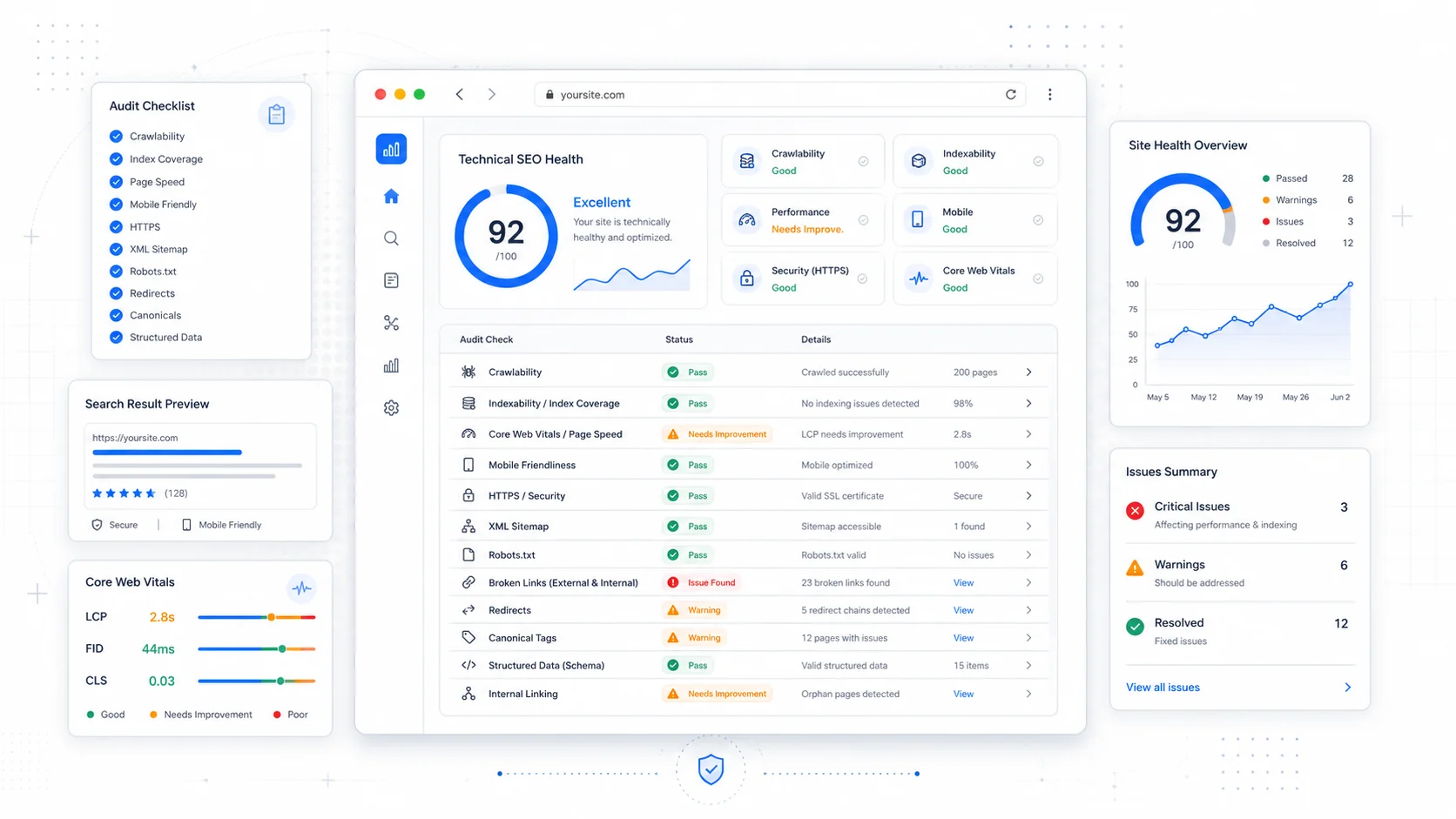
Most small business sites do not need a 200-point technical SEO audit. They need someone to confirm Google can actually find the pages, that the right ones are getting indexed, and that nothing on the site is quietly bleeding ranking signals into a redirect chain or a broken canonical. The technical layer is rarely the most exciting part of SEO, but it is the part that decides whether the rest of the work has a chance to compound.
This is the audit I run on a typical small business site before recommending anything else. It is the boring, mechanical pass that catches the issues that cause months of stalled rankings — the kind of problems where the content is fine, the links are fine, and yet nothing moves because half the site is not in the index, or the homepage is canonicalising to a staging environment.
Work through it in order. Most sites have three or four issues hiding in here that take an afternoon to fix and free up real progress.
Confirm the Site Can Be Crawled at All
Crawlability sounds basic until you find a production site blocking Googlebot at the server level because someone forgot to remove a staging rule. Start at the front door.
The first checks:
- Open your
robots.txtat/robots.txtand confirm it is not blocking/or core directories. Google's robots.txt specification is the source of truth on syntax — guess wrong and you can deindex the site without touching the CMS. - Look for stray
Disallow: /rules left over from a redesign. This is the single most common catastrophic SEO mistake. - Check that critical assets (CSS, JS, image folders) are not blocked. Google needs to render pages to evaluate them.
- Make sure your CDN, WAF, or hosting provider is not rate-limiting or fingerprint-blocking Googlebot. Cloudflare, in particular, has settings that will silently drop crawler requests if "Bot Fight Mode" is too aggressive.
- Test a few URLs with the URL Inspection tool inside Google Search Console. The "Test Live URL" option tells you exactly what Googlebot sees at the moment of the request.
If you want a deeper view of what crawlers can actually reach, run a crawl with Screaming Frog or Sitebulb. Both will surface unreachable pages, blocked resources, and broken internal links in one pass. The free version of Screaming Frog handles up to 500 URLs, which covers most small business sites.
Audit Indexability and the Index Coverage Report
Crawlable is not the same as indexable. A page can be perfectly accessible and still excluded from the index because of a noindex tag, a canonical pointing somewhere else, or a soft 404.
Open the Pages report inside Google Search Console (formerly the Index Coverage report). Google's Page indexing report documentation explains every status. The categories that matter most:
- Discovered – currently not indexed. Google knows the URL exists but has not crawled it. Often a sign of low perceived quality, weak internal linking, or crawl budget pressure on a thin site.
- Crawled – currently not indexed. Google fetched the page and decided not to index it. This is a quality signal. Look at the actual content.
- Excluded by 'noindex' tag. Confirm every URL here was meant to be excluded. Search results, tag archives, and admin pages should be. Service pages should not.
- Alternate page with proper canonical tag. Usually fine, but worth scanning — sometimes the canonicals are wrong.
- Duplicate without user-selected canonical. Google picked a canonical for you. Sometimes it picks the wrong one.
Spend time on the URLs that are excluded but should be indexed. That list is usually the highest-leverage thing in any audit.
Check Your XML Sitemap Is Doing Its Job
A sitemap is a hint, not a command, but it is one of the cleanest ways to tell Google which URLs you actually care about. Most CMS-generated sitemaps are wrong in small ways that cost you indexing.
Open /sitemap.xml (or whatever your CMS exposes) and confirm:
- Only canonical URLs appear. No
noindexpages, no redirects, no parameterised duplicates. - All URLs return 200 OK. Sitemap entries that resolve to 404s or 301s erode trust in the file.
- The
lastmodtimestamps reflect real edits, not the moment the sitemap was regenerated. Fake lastmod dates are noise that Google increasingly ignores. - The sitemap is referenced in
robots.txtwith aSitemap:directive and submitted in Search Console. - For larger sites, split into multiple sitemaps by section (services, blog, locations) so you can debug indexing problems by category.
Google's sitemap best practices cover the structural rules. The single most useful trick: maintain a sitemap that mirrors your site structure, then watch the per-sitemap indexing numbers in Search Console. When one sitemap drops in coverage, you know exactly which section to investigate.
Find and Eliminate Redirect Chains
Redirects are normal. Redirect chains are not. Every additional hop costs crawl efficiency, slows users, and dilutes the link equity passed through. After a few migrations, most sites accumulate chains nobody remembers building.
Run a crawl and look for:
- 301 → 301 → 200 chains. Collapse to a single 301.
- 302 redirects on permanent moves. 302s are temporary and may not pass full ranking signal. Use 301 unless the redirect is genuinely temporary.
- Redirect loops (rare but devastating).
- Mixed protocol redirects (HTTP → HTTPS that bounces twice).
- Redirects to URLs that immediately canonical to a third URL.
Moz's guide to redirects is a clean primer if you want to refresh on the difference between 301, 302, 307, and 308. The short version: 301 for permanent, 302 for temporary, and stop worrying about the rest unless you have a specific reason.
Pay particular attention to chains created by trailing slashes, www vs non-www, and uppercase/lowercase URLs. Pick one canonical version of each and 301 everything else to it in a single hop.
Audit Canonical Tags
Canonicals are how you tell Google which version of a page is the authoritative one. They are also one of the easiest things to misconfigure. The classic mistakes:
- Every page on the site canonicals to the homepage (a templating bug).
- Canonicals point to a staging or development domain.
- HTTPS pages canonical to HTTP.
- Pages canonical to a URL that 301s elsewhere (canonicalising into a redirect chain).
- Multiple
<link rel="canonical">tags on the same page.
Use Screaming Frog or your favourite crawler to export every URL and its canonical, then sort. Anything where the canonical does not match the URL deserves a quick look. Google's canonicalization documentation is worth reading once a year because the recommendations evolve.
Look at HTTP Status Codes in Bulk
Status codes tell you a lot about a site's health. The bulk view is more useful than the per-page view because patterns jump out.
Run a crawl and group by status:
- 200: should be the vast majority.
- 301: fine in moderation, but a high count suggests you have not cleaned up after migrations.
- 404: investigate. Some 404s are healthy (deleted thin content), but a 404 on a page that still has internal links or backlinks is wasted equity.
- 410: the explicit "this is gone permanently" response. Use it instead of 404 for content you have intentionally killed.
- 500-class errors: fix immediately. Server errors during crawls cause Google to back off.
- Soft 404s: pages that return 200 but have no content, or pages that show a "not found" message with a 200 status. Search Console flags these in the Pages report.
For high-traffic 404s, either 301 to the closest live equivalent or restore the content. Do not blanket-301 every 404 to the homepage — Google treats homepage redirects as soft 404s and ignores them.
Verify HTTPS, HSTS, and Mixed Content
Every page should serve over HTTPS, with no mixed content warnings. The basics:
- Confirm your SSL certificate is valid and auto-renewing.
- Force HTTPS at the server or CDN level with a single 301.
- Enable HSTS (HTTP Strict Transport Security) so browsers default to HTTPS even before the redirect fires. MDN's HSTS documentation covers the header and its options.
- Scan for mixed content (HTTP assets loaded inside HTTPS pages). Browser dev tools show these in the console; crawlers can flag them in bulk.
HTTPS is table stakes in 2026, but the configuration mistakes still cost rankings on otherwise healthy sites.
Check Hreflang If You Serve Multiple Regions
Skip this section if you serve one country in one language. If you do not, hreflang is the single most error-prone area of technical SEO. Google's hreflang documentation is mandatory reading.
The common failures:
- Self-referencing hreflang tags missing on each page.
- Return tags missing (page A references page B, but page B does not reference page A).
- Wrong language or region codes (use ISO 639-1 for language and ISO 3166-1 alpha-2 for region).
- Hreflang pointing to URLs that 301 or 404.
A small business serving multiple regions almost always benefits from per-country sites or clean subdirectories rather than half-implemented hreflang on a single domain.
Crawl for Internal Linking Holes
Internal linking is technically content, but it shows up in technical audits because crawlers expose it cleanly. The patterns to look for:
- Orphan pages: pages with no internal links pointing to them. Sometimes intentional (thank-you pages, legal pages), often accidental.
- Pages with only one internal link: usually undervalued by Google.
- Excessive links from a single page: the homepage with 200 outbound links dilutes signal to all of them.
- Deep pages: anything more than three clicks from the homepage is harder to rank.
Fixing internal linking is one of the highest-ROI activities in SEO and almost always cheaper than building new content. The structure we use for service business sites is part of how we approach SEO-focused website builds — internal links shaped around how customers actually navigate, not around CMS defaults.
Touch Log Files Once a Year
Log file analysis sounds intimidating, but the basic version is straightforward and reveals things no crawler can. Server logs record every request from every bot — what Googlebot actually fetched, how often, and with what response code.
Even a simple monthly export will tell you:
- Which pages Googlebot crawls most often (your perceived priority pages).
- Pages Googlebot has not visited in months (likely deindexed or undervalued).
- Crawl errors at the server level that never made it into Search Console.
- Whether crawl budget is being wasted on faceted navigation, calendar archives, or parameter URLs.
Tools like JetOctopus, Screaming Frog Log File Analyser, or even a quick awk script on raw access logs will get you 80% of the value. Backlinko has a solid primer on log file analysis if this is new territory.
For small sites, you do not need to do this monthly. Once a quarter, or whenever indexing weirdness shows up in Search Console, is enough.
A Practical Order of Operations
If you are looking at a real audit and wondering where to start, the sequence that catches the most problems fastest:
- Check
robots.txtand confirm nothing critical is blocked. - Review the Pages report in Search Console for excluded URLs that should be indexed.
- Verify the sitemap contains only canonical, indexable, 200-OK URLs.
- Crawl the site and group status codes; collapse redirect chains.
- Audit canonicals for any URLs canonicalising to the wrong destination.
- Confirm HTTPS is forced cleanly and there is no mixed content.
- Look at internal linking for orphans and over-deep pages.
- Pull a month of log files and check Googlebot's actual behaviour.
Most small business sites have three to five real problems hiding in this list. Fixing them rarely produces dramatic ranking jumps overnight, but it removes the friction that prevents the rest of your SEO work from compounding. If your content investment is not paying off, the technical layer is the first place to look — not the last.
If you would rather not run this audit yourself, our website care plans include a quarterly technical pass on every site we maintain, and the SEO-focused website builds we ship are designed so most of these issues never appear in the first place. Either way, walk through the checklist once. The findings tend to be cheaper to fix than they look.
More posts from the blog.

From Contact Form to CRM: The Minimum Lead Pipeline Every Service Business Should Automate
A practical lead pipeline for service businesses: connect forms, calls, email, CRM records, reminders, follow-ups, and reporting so good leads stop disappearing.

The 2026 Website Content Refresh Playbook: Updating Old Pages Without Breaking SEO
A practical content refresh process for small business websites: how to update stale pages, preserve rankings, improve AI search visibility, and avoid SEO mistakes.

The AI Chat Widget Decision: When It Helps Leads and When It Hurts Trust
AI chat widgets can qualify leads and answer common questions, but they can also slow the site, invent answers, mishandle privacy, and damage trust. Here is how to decide.
Keep reading?
More field notes from building modern websites and software for real businesses.