
SEO-Friendly Website Redesign Checklist for Small Businesses
A practical website redesign checklist for small businesses that need a better site without losing rankings, leads, or the pages that already work.
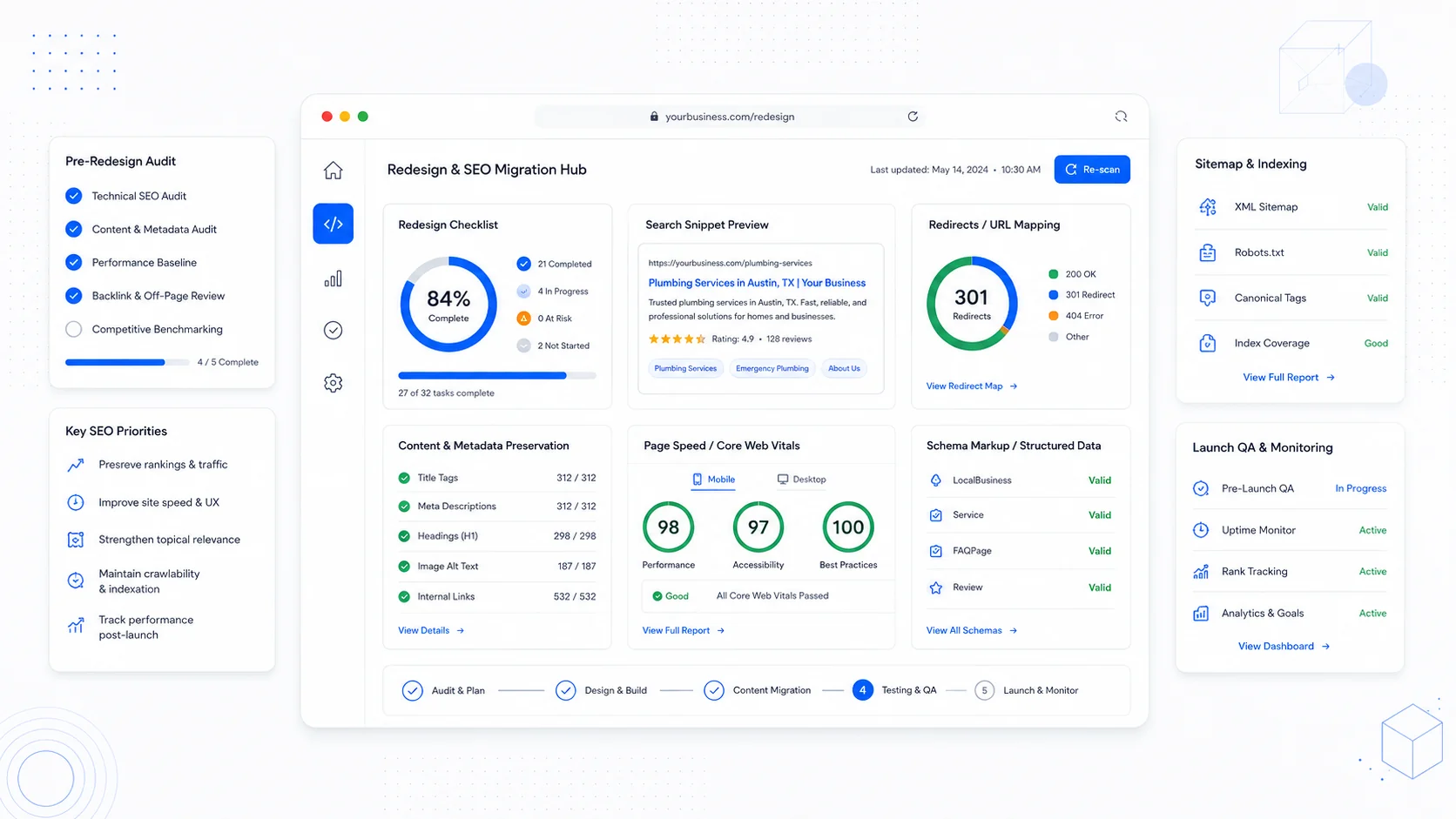
A website redesign should make the business easier to understand, easier to trust, and easier to contact. It should not wipe out the search visibility the old site already earned.
That is the risk most small businesses miss. They think a redesign is mostly visual: new colors, cleaner pages, better photos, a modern layout. Those things matter, but Google and customers also care about structure, speed, useful content, working links, page experience, and whether the new site still answers the same questions people searched for in the first place.
Google's own SEO starter guide frames SEO as helping search engines understand your content and helping people decide whether to visit from search. That is the mindset to bring into a redesign. The goal is not just "make it look better." The goal is "make the site clearer, faster, more useful, and safer to relaunch."
Use this checklist before you approve a redesign proposal, change platforms, rewrite pages, or launch a new site.
1. Write Down What Is Actually Broken
"The site feels old" is not enough of a brief.
Before design starts, list the business problems the redesign needs to solve:
- Leads are coming in, but they are low quality.
- The site gets traffic, but visitors do not book calls.
- The homepage looks professional, but service pages are thin.
- The site ranks for old services that are no longer profitable.
- Mobile users bounce because the page is slow or hard to use.
- Customers keep asking the same questions because the site does not explain the process.
This turns the redesign into a business project instead of a taste project. It also gives you a way to judge the finished site. A new design that does not improve lead quality, call volume, form submissions, or sales conversations is not really a win.
2. Export Your Current SEO Baseline
Before a single URL changes, capture the current state of the site.
At minimum, document:
- The top organic landing pages.
- The keywords those pages currently rank for.
- Pages with backlinks.
- Pages that generate calls, form fills, bookings, or purchases.
- Current sitemap URLs.
- Current page titles and meta descriptions.
- Current Google Search Console performance.
- Current analytics for traffic, conversions, and engagement.
This step protects you from accidentally deleting pages that are already working. Many redesign traffic drops happen because teams replace a site without knowing which pages carried the search value.
If a page brings qualified leads, do not remove it casually. Improve it, merge it carefully, or redirect it to the closest relevant replacement.
3. Map Every Old URL to a New URL
If the redesign changes URLs, you need a redirect map.
A redirect map is simple:
| Old URL | New URL | Status |
|---|---|---|
/web-design-services | /services/website-design-and-development | Keep and redirect |
/old-about-page | /about | Redirect |
/blog/random-demo-post | Remove or redirect to related article | Review |
Do this before launch, not after traffic drops.
Every important old URL should resolve to a relevant new URL. Avoid redirecting everything to the homepage. That is frustrating for users and weak for SEO because it breaks intent. If someone searched for "website care plan pricing" and lands on a generic homepage, they have to start over.
4. Preserve Search Intent, Not Just Text
When rewriting content, ask why someone would search for the page.
A service page for "website redesign for small business" should probably answer:
- Who is the redesign for?
- What problems does it solve?
- What is included?
- How long does it take?
- What happens to existing SEO?
- What does the process look like?
- What does it cost or what affects cost?
- What should the business prepare before starting?
Google's guidance on helpful, reliable, people-first content encourages original, useful content that demonstrates real expertise. A redesign is a good time to replace vague copy with specific answers that reduce sales friction.
Thin service pages often fail because they say "we build beautiful websites" in five different ways. Better pages explain decisions, tradeoffs, process, timelines, risks, and outcomes.
5. Build the Navigation Around Buyer Tasks
Most small business websites do not need clever navigation. They need obvious paths.
Good navigation helps visitors answer:
- What do you do?
- Who is it for?
- Can I trust you?
- What does it cost?
- What happens next?
- How do I contact you?
For a service business, a clear structure might be:
- Home
- Services
- Projects or case studies
- About
- Blog or resources
- Contact
If you offer distinct services, give each one its own page. One "Services" page that lists everything can be useful, but it usually is not enough for SEO. A dedicated page for website redesigns, landing pages, client portals, AI automation, or care plans can match more specific searches and sales conversations.
This is where long-tail SEO helps. Tools and SEO publishers like Ahrefs and Semrush describe long-tail keywords as more specific, lower-volume queries that are often less competitive and clearer in intent. For a newer or local site, these are more realistic than broad keywords like "web design."
6. Treat Speed as Part of the Design
Performance is not something to "optimize later." It should shape the build.
Google's Core Web Vitals documentation highlights three user experience metrics:
- Largest Contentful Paint for loading performance.
- Interaction to Next Paint for responsiveness.
- Cumulative Layout Shift for visual stability.
The practical version for a small business is this:
- Do not load oversized images.
- Do not stack unnecessary scripts.
- Do not use heavy animations that slow the first view.
- Do not let layout jump around as the page loads.
- Do not bury the main offer below slow media.
A fast site feels more trustworthy. It also gives mobile visitors a better chance to read, compare, and contact you before they leave.
7. Keep the Conversion Path Obvious
Every important page needs a next step.
Examples:
- Book a discovery call.
- Request a quote.
- Start a website audit.
- View projects.
- Compare care plans.
- Ask about a client portal.
Do not rely on one contact link in the header. Put calls to action where they make sense: after the problem, after the process, after proof, and at the bottom of the page.
For service businesses, the best conversion path is usually not aggressive. It is clear. Visitors should understand what happens after they submit the form, how quickly you reply, and what information they should provide.
8. Add Proof Where Buyers Make Decisions
Proof should sit near the claim it supports.
If you say you build high-performing websites, show:
- Before and after examples.
- Speed improvements.
- Lead quality improvements.
- Screenshots of finished work.
- Testimonials.
- Industry context.
- Specific problems solved.
If you do not have metrics yet, use process proof. Explain how you protect SEO during a redesign, how QA works, how forms are tested, how redirects are handled, and how you decide which pages to keep.
Proof is not just decoration. It lowers perceived risk.
9. Check the Basics Before Launch
Before launch, test the site like a customer and like a search engine.
Run through this list:
- Every navigation item works.
- Every form submits correctly.
- Thank-you messages or confirmation emails work.
- Phone numbers and email links work.
- Important pages have unique titles and meta descriptions.
- Old URLs redirect to relevant new URLs.
- The XML sitemap is updated.
- Robots.txt is not blocking important pages.
- Analytics and conversion tracking are installed.
- Social share images render correctly.
- The favicon and app icons load.
- The site works on mobile.
- The site passes a basic accessibility review.
- 404 pages are intentional, not accidental.
Do not launch a redesign at 5 p.m. on a Friday. Launch when someone can monitor it.
10. Watch the First 30 Days
The work does not end when the new site goes live.
For the first month, monitor:
- Google Search Console coverage and indexing.
- 404 errors.
- Organic landing page traffic.
- Conversion rate.
- Form submissions.
- Call tracking.
- Page speed.
- Rankings for priority long-tail keywords.
Small fluctuations are normal. Broken redirects, missing pages, and sudden conversion drops are not.
A Simple Redesign Plan for Small Businesses
If you want the short version, use this sequence:
- Audit the current site.
- Keep what already ranks or converts.
- Rewrite pages around clear buyer questions.
- Map old URLs to new URLs.
- Build fast, mobile-first templates.
- Add specific proof and clear calls to action.
- Test forms, redirects, metadata, and analytics.
- Launch during a monitored window.
- Review search and lead data weekly for the first month.
That is the difference between a redesign that only changes the surface and a redesign that can actually support growth.
When to Bring in Help
If your site gets meaningful organic traffic, has a lot of old pages, or generates real leads, do not treat the redesign as a simple design refresh. You need someone thinking about content, SEO, redirects, performance, analytics, and conversion paths from the start.
Sites That Grow builds websites with the relaunch details included, not bolted on at the end. If you are planning a redesign and want to protect search visibility while improving the site, start with an audit before rebuilding.
More posts from the blog.

From Contact Form to CRM: The Minimum Lead Pipeline Every Service Business Should Automate
A practical lead pipeline for service businesses: connect forms, calls, email, CRM records, reminders, follow-ups, and reporting so good leads stop disappearing.

The 2026 Website Content Refresh Playbook: Updating Old Pages Without Breaking SEO
A practical content refresh process for small business websites: how to update stale pages, preserve rankings, improve AI search visibility, and avoid SEO mistakes.

The AI Chat Widget Decision: When It Helps Leads and When It Hurts Trust
AI chat widgets can qualify leads and answer common questions, but they can also slow the site, invent answers, mishandle privacy, and damage trust. Here is how to decide.
Keep reading?
More field notes from building modern websites and software for real businesses.