
Client Onboarding Portal: Build vs Buy for Service Businesses
When HoneyBook or Dubsado is enough, when a custom onboarding portal pays back, and what a tailored portal actually includes for service businesses.
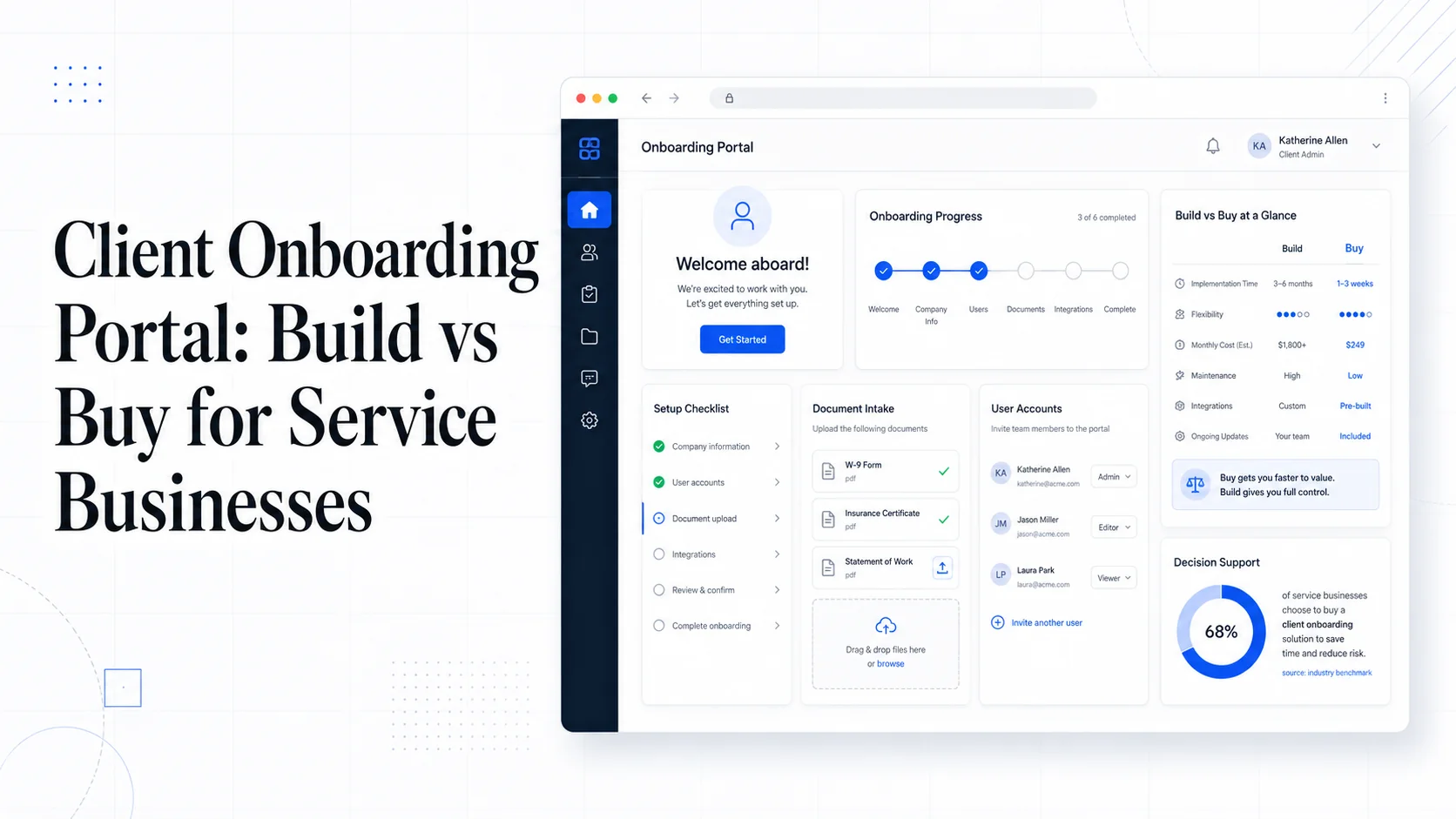
The first two weeks with a new client decide most of the relationship. If those two weeks involve four emails, a missed contract, a wrong intake answer, and a re-sent invoice, the client has already lowered their expectations before the work even starts. That is the real cost of a sloppy onboarding flow. It is not the admin time. It is the lost trust.
Most service businesses know this and pick an onboarding portal of some kind. The question is whether the off-the-shelf tools — HoneyBook, Dubsado, Bonsai, Moxie, SuiteDash — are enough, or whether the workflow is unusual enough to justify a custom build. The honest answer is: it depends on three things — how standard your process is, how much it changes per client, and how much of your competitive advantage lives inside the experience itself.
This post lays out where each option fits, what a custom portal actually contains, and how to decide without burning six months on the wrong path.
What Onboarding Actually Has to Do
Before comparing tools, it helps to write down what a working onboarding flow has to deliver. For most service businesses the list is roughly:
- A signed agreement.
- A first payment or deposit.
- A set of intake answers your team needs to begin work.
- File uploads (logos, prior reports, IDs, photos, plans).
- A scheduled kickoff or first appointment.
- Clear next steps so the client knows what is happening.
- Internal handoff to whoever is doing the work.
Anything an onboarding tool does beyond this — embedded chat, custom branded mobile apps, gamified progress bars — is often noise. The job is to move someone from "signed" to "doing" without dropping anything.
When Off-the-Shelf Software Is Genuinely Enough
If your service is fairly standardized and your clients look similar to each other, a tool like HoneyBook or Dubsado will usually do the job for under $50 per month. They cover contracts, payments via Stripe or their built-in processor, intake forms, scheduling, and email automation in one place.
You should probably stay with off-the-shelf when:
- Your contracts and intake forms barely change between clients.
- You do not need integrations beyond Google Calendar, QuickBooks, or basic email.
- A client signing up means roughly the same thing every time.
- You are not yet running 50+ active clients through onboarding per month.
- You can adapt your workflow to fit the tool's opinions.
Generic platforms ship with templates, e-signature, payment, and scheduling already integrated. That is hard to beat from scratch, and there is no virtue in rebuilding it. The official Stripe Connect and Stripe Checkout docs are clear about how much heavy lifting Stripe already does for any payment flow embedded in these tools, and there is no point reproducing it for your first 100 clients.
If you have not picked a tool yet, the best test is to onboard three real clients through the trial. The friction shows up fast.
The Limits That Push Businesses to Build
The trouble usually starts in one of five places.
1. The intake is not a form, it is a workflow. Some businesses cannot collect what they need with a single questionnaire. A construction firm needs a different intake from a kitchen remodel than a deck. A medical practice needs HIPAA-aware forms and gated steps. A creative agency needs the brief to branch based on the deliverable. Off-the-shelf tools handle simple branching but get awkward fast when the form has to react to uploads, calculations, or prior client data.
2. Per-client variation is high. If every client gets a meaningfully different package — different scopes, deliverables, milestones, team assignments — generic portals start to feel like a binder of folders rather than software. Staff resort to copy-paste from a template into the tool, which is the same problem they had before.
3. Integrations are core, not optional. When onboarding has to push data into a custom CRM, an internal database, a project management tool with a real schema, a billing engine that handles unusual rules, or a field-service dispatch board, the export-and-zap dance becomes the bottleneck. We covered this in detail in the post on internal business tools that pay for themselves in six months.
4. The brand experience matters to the sale. For high-touch or high-ticket services, the portal is part of the product. Anything that screams third-party SaaS — a dropdown that says "Powered by", a generic email template, a login URL that is not yours — chips away at perceived quality.
5. Compliance, regions, or auth are not standard. Multi-region data residency, single sign-on for client-side teams, SAML or OIDC, audit logs that survive a security review, HIPAA or PCI requirements that are stricter than the SaaS vendor offers — these all push you off the shelf.
If two or more of these apply to your business, the math usually flips toward custom.
What a Custom Onboarding Portal Actually Includes
A practical custom portal is rarely as ambitious as people imagine. The goal is to remove the parts where SaaS broke down without rebuilding everything else.
Most builds we ship for service businesses include:
- A branded login under your domain, ideally with magic-link or passwordless auth using something like WebAuthn or Supabase Auth for low-friction sign-in.
- A dynamic intake flow with conditional sections, file uploads to S3 or Supabase Storage, and validation that reflects the actual rules of the business.
- E-signature — either rolled in via DocuSign's REST API or Dropbox Sign API so contracts stay inside the portal.
- Payment collection via Stripe Checkout or Stripe Payment Intents — deposits, subscriptions, or invoices, depending on what the business sells.
- A clear progress map: what the client has done, what is next, who is waiting on whom.
- Notifications — typically transactional email through Postmark or Resend and SMS via Twilio if the audience expects it.
- A staff view that mirrors the client's progress and assigns work internally.
- Webhooks or direct integration into your CRM, accounting tool, and project system so onboarding data does not become an island.
The build is small enough to launch in 6–12 weeks for most service businesses, and it is almost always cheaper to operate over three years than the equivalent stack of SaaS subscriptions plus the part-time admin who keeps them in sync. We go into the broader version of this argument in when to build custom software vs buy off-the-shelf SaaS.
The Honest Cost Comparison
A typical small service business already pays for a CRM, a scheduling tool, a contract tool, a payment processor, an intake form tool, and an email automation platform. Once you add seats, that bundle often runs $400–$900 per month before counting the time someone spends keeping them connected.
A custom onboarding portal usually costs $20k–$60k to build well, and a few hundred dollars per month to host on something like Vercel and Supabase. The break-even depends mostly on saved admin time and lift in close rate from a smoother intake. For a business doing 200 onboardings per year, the payback is generally inside 12 months. For a business doing 500+, it is usually inside six.
The cost is not the only factor. Owning the workflow means you can change it next month without waiting for a vendor's roadmap. That matters when your business changes faster than software vendors can ship.
The Decision Framework
Here is the honest filter we use with clients.
Buy off-the-shelf if:
- Your intake fits in one form.
- Your contracts are standard.
- Per-client variation is low.
- Your team is fewer than 10 people.
- You do not need to integrate with anything unusual.
Build custom if:
- Your intake is a branching workflow with per-client logic.
- You need to push data into a system the SaaS does not support natively.
- The portal is part of the brand or product experience.
- You have outgrown two or more SaaS tools already.
- You want a single source of truth instead of five.
Hybrid if:
- You like your CRM, accounting, and e-sign tools but the front door needs to be custom. In that case, build the client-facing experience and use API integrations, webhooks, and Zapier or Make for the boring parts.
The hybrid path is more common than people expect, and it is usually how a real custom portal starts. You do not need to replace everything to get the experience right.
What Tends to Go Wrong
A few patterns to watch for if you do build.
Building the staff view as an afterthought. If the team's experience is worse than the client's, adoption fails. Plan both at the same time.
Skipping audit logs. As soon as money or contracts are involved, you will want to know who did what and when. Build it in from day one — it is cheap then, expensive later.
Treating the portal as a finished product. Onboarding flows change as the business changes. Budget for ongoing iteration. Our website care plans exist partly to keep these systems healthy as the business evolves.
Underestimating email deliverability. Transactional emails about contracts and payments cannot land in spam. Use a reputable provider, set up SPF, DKIM, and DMARC properly, and monitor bounces. The best portal in the world is useless if the welcome email never arrives.
Action Items
- Write down the steps your real onboarding takes today, end to end. If the list has more than 12 steps, you have a workflow problem before you have a software problem.
- Try one off-the-shelf tool for two months with three real clients. Note every place you had to work around it.
- Cost out your current SaaS stack including hidden seats and integration tools. That is your baseline to beat.
- Decide if onboarding is part of how you compete. If yes, custom usually wins on a 3-year horizon.
- If you go custom, scope to the minimum useful version: signed agreement, deposit, intake, kickoff. Ship that, then expand.
Sites That Grow builds custom software for service businesses, including onboarding portals that fit the way the work actually happens. If you want a second opinion on whether your current stack is worth replacing, get in touch and we will give you an honest answer either way.
More posts from the blog.

From Contact Form to CRM: The Minimum Lead Pipeline Every Service Business Should Automate
A practical lead pipeline for service businesses: connect forms, calls, email, CRM records, reminders, follow-ups, and reporting so good leads stop disappearing.

The 2026 Website Content Refresh Playbook: Updating Old Pages Without Breaking SEO
A practical content refresh process for small business websites: how to update stale pages, preserve rankings, improve AI search visibility, and avoid SEO mistakes.

The AI Chat Widget Decision: When It Helps Leads and When It Hurts Trust
AI chat widgets can qualify leads and answer common questions, but they can also slow the site, invent answers, mishandle privacy, and damage trust. Here is how to decide.
Keep reading?
More field notes from building modern websites and software for real businesses.