
Internal Business Tools That Pay for Themselves in 6 Months
Practical examples of internal tools small service businesses build to recoup investment in under six months, with ROI math and what actually works.
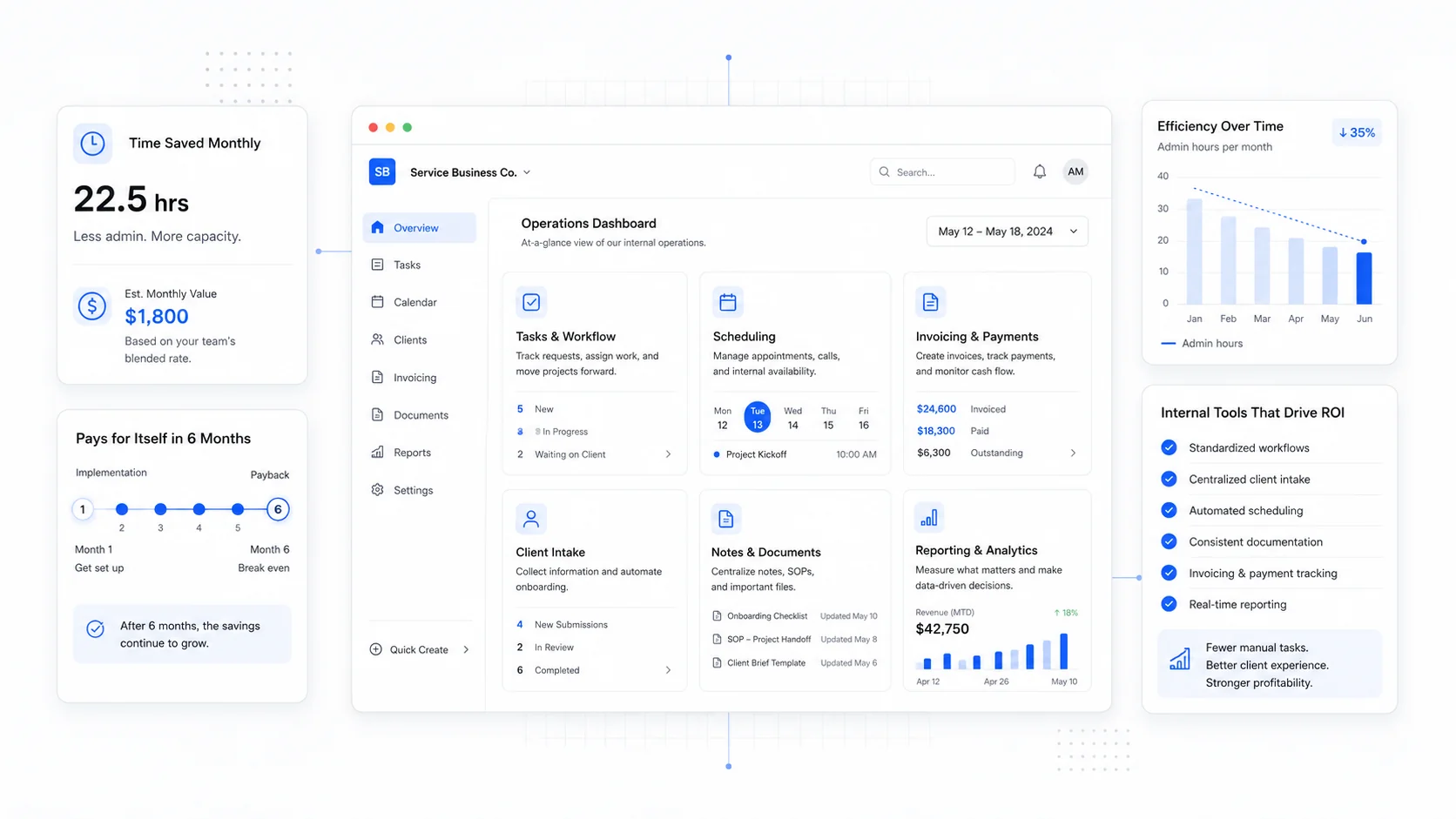
Most small service businesses do not have a software problem. They have a copy-paste problem. The same numbers, names, and statuses move through email, a spreadsheet, an invoicing tool, and a notes app every day, and someone is paid to keep them in sync.
Internal tools earn their keep when they remove that copy-paste work and replace a brittle spreadsheet with something a team can trust. The interesting ones are not flashy. They are quote builders, dispatching boards, time trackers, simple inventory screens, and customer dashboards.
This post is about the internal tools that tend to pay for themselves inside six months, the math behind that claim, and how to think about which one to build first.
What "Pays for Itself" Actually Means
Before naming any tools, it helps to define payback honestly.
A tool pays for itself when, over a fixed window, the dollars it adds plus the dollars it saves are greater than the cost to build and run it.
Dollars added usually come from:
- Faster quotes that close more often.
- Fewer dropped leads.
- Better follow-up that lifts close rates.
- Upsell prompts that surface at the right moment.
- Higher utilization on the team.
Dollars saved usually come from:
- Less admin time per job.
- Fewer billing errors and missed invoices.
- Less time spent training new hires.
- Lower SaaS spend by replacing two or three overlapping tools.
- Less rework caused by stale or wrong data.
A useful rule of thumb: if the tool replaces five hours of admin work per week at a fully loaded rate, and avoids one missed invoice or one lost lead per month, the math usually works out before month six. If you cannot point to those numbers in advance, the project is too vague to start.
For a longer view on how operational software compounds value, Stack Overflow Blog has good writing on internal tooling decisions, and Joel on Software is still one of the clearest voices on this topic.
Quote Builders That Actually Get Used
The first tool we recommend to most service businesses is a quote builder.
Quotes are the moment a lead becomes revenue. A clean quote system tends to lift close rates by removing friction in three places:
- The salesperson can build a quote in minutes, not hours.
- The customer gets a clear, branded document quickly.
- The system tracks status (sent, viewed, accepted, rejected) without anyone updating a spreadsheet.
A useful internal quote tool usually includes:
- A line-item builder with reusable services and prices.
- Auto-calculated totals, taxes, and optional discounts.
- A clean PDF or web page output.
- A status pipeline tied to the customer record.
- Reminders when a quote has been sitting unread.
- A handoff to invoicing once the quote is approved.
If you send 30 quotes a month and a tool helps you close one extra mid-sized job, the payback is usually obvious. Pair it with smart quote follow-up automation and the lift compounds.
Dispatching and Job Boards
For any business that sends people to do work, dispatching is the highest-leverage internal tool after the quote builder.
A simple internal dispatching board can:
- Show today's and this week's jobs at a glance.
- Show who is assigned to what.
- Surface conflicts and gaps in the schedule.
- Let staff update job status from their phone.
- Capture before and after photos linked to the job.
- Trigger automatic customer notifications.
Most teams either run this on a whiteboard, a shared calendar, or a SaaS field service tool that costs a per-seat fee for every technician. A custom dispatching board built on top of an existing data model often costs less over three years and fits the actual workflow better, especially for businesses with unusual scheduling rules.
The payback comes from fewer missed appointments, less back-and-forth on the phone, and more jobs per day. One extra completed job per week is usually enough to justify the build.
Time Tracking That Does Not Annoy the Team
Time tracking is famously hated. The tools that actually get used share a few traits:
- Starting and stopping a timer takes one tap.
- Staff can add time after the fact without a fight.
- The data flows directly into payroll or invoicing.
- Managers can see weekly totals without nagging.
A custom time tracker is rarely a separate tool. It is usually a small section of a larger internal dashboard, tied to jobs or projects that already exist in the system. That is the trick: time tracking that lives next to the work being tracked is used. Time tracking that lives in its own tab is not.
Done well, accurate time data lets you re-price services that are quietly losing money and gives a clearer picture of which clients are actually profitable. Both of those usually pay back the build cost on their own.
Inventory and Asset Tracking
Inventory tools have a reputation for being heavy enterprise software, but small service businesses often need a much simpler version.
A useful internal inventory screen usually tracks:
- Items in stock and their locations.
- Items checked out to specific staff or jobs.
- Reorder thresholds and supplier links.
- Cost and sale price per item.
- Usage history per customer or job.
A retail or distribution business might need something more sophisticated. Most service businesses just need to stop running out of common parts and stop losing track of expensive equipment. Even a basic version saves real money: one avoided emergency reorder or one recovered piece of gear can pay for the build.
For example, a custom puppy CMS like the one in SongCatcher Dachshunds is essentially an inventory and lifecycle tracker for living things, plus marketing and community features stacked on top. The same pattern, narrower scope, applies to any business with physical items that move.
Customer Dashboards and Client Portals
Customer-facing portals look like a marketing feature, but the real ROI is internal.
Every time a client has to email or call to ask "where is my project," "can I see the invoice," or "can you send me that file again," that is staff time that did not need to be spent. A portal removes most of those interruptions.
A practical portal usually includes:
- Project status and recent updates.
- Documents and files in one place.
- Invoices and payment history.
- Approval steps for quotes or deliverables.
- A simple message thread tied to the project.
The math on a client portal is usually about hours saved per client per month, multiplied by the number of active clients. For a service business with 50 active clients, even ten minutes saved per client per month adds up to more than a full work week recovered every month.
There is a longer breakdown in Custom Client Portal for Service Businesses if you want a deeper look at what to include.
Custom Billing and Advertiser Dashboards
Some businesses have billing models that no off-the-shelf tool handles cleanly: tiered ad placements, sponsorship slots, mixed one-time and recurring fees, multi-party invoices, or revenue shares.
For these, a custom billing dashboard is usually the highest-ROI tool the business will ever build. SeniorCenters needed a custom billing dashboard with advertiser management, and LocalCatholicChurches had a similar need on the advertiser billing side. In both cases, the goal was the same: replace fragile spreadsheets and manual invoicing with a system that knows the rules.
The payback is rarely about a single saved hour. It is about no longer missing invoices, no longer arguing with advertisers about what was promised, and no longer needing one specific person to remember how billing works.
How to Pick the First Tool to Build
You probably have several candidates. A simple way to choose:
- List every internal workflow that touches a spreadsheet or shared inbox more than once a day.
- Estimate hours per week each one consumes.
- Estimate the dollar value of those hours, including the cost of mistakes.
- Mark which ones touch revenue directly.
- Pick the one with the highest combined score that is also the simplest to scope.
Avoid starting with the most ambitious idea. The first internal tool sets the pattern for everything after it, so it should ship in weeks, not quarters. A small, useful tool that the team adopts is worth far more than a perfect tool that nobody trusts yet.
A Realistic ROI Frame
A useful frame for any internal tool, before you start:
- What does it cost to build, in dollars and weeks?
- What does it cost to run, per year?
- How many hours per week will it save, and at what rate?
- How much extra revenue could it unlock, conservatively?
- What is the worst case if adoption is slow?
If the conservative case still pays back inside 12 months, build it. If the realistic case pays back inside six, prioritize it. If neither is true, the problem is probably better solved by automation and integrations on top of existing tools, not a new build.
Final Takeaway
The internal tools that pay for themselves quickly are not exotic. They are quote builders, dispatching boards, time trackers, inventory screens, customer portals, and custom billing dashboards. They win because they replace copy-paste work and remove friction at the points where money moves.
Sites That Grow builds custom software for small service businesses with a focus on tools that earn their cost back fast. The first one should feel less like a project and more like a relief.
More posts from the blog.

From Contact Form to CRM: The Minimum Lead Pipeline Every Service Business Should Automate
A practical lead pipeline for service businesses: connect forms, calls, email, CRM records, reminders, follow-ups, and reporting so good leads stop disappearing.

The 2026 Website Content Refresh Playbook: Updating Old Pages Without Breaking SEO
A practical content refresh process for small business websites: how to update stale pages, preserve rankings, improve AI search visibility, and avoid SEO mistakes.

The AI Chat Widget Decision: When It Helps Leads and When It Hurts Trust
AI chat widgets can qualify leads and answer common questions, but they can also slow the site, invent answers, mishandle privacy, and damage trust. Here is how to decide.
Keep reading?
More field notes from building modern websites and software for real businesses.