
Core Web Vitals in 2026: Page Speed Strategies That Move Rankings
What Core Web Vitals (LCP, INP, CLS) mean in 2026, why Google uses them as a ranking signal, and the page speed fixes that actually move small business rankings.
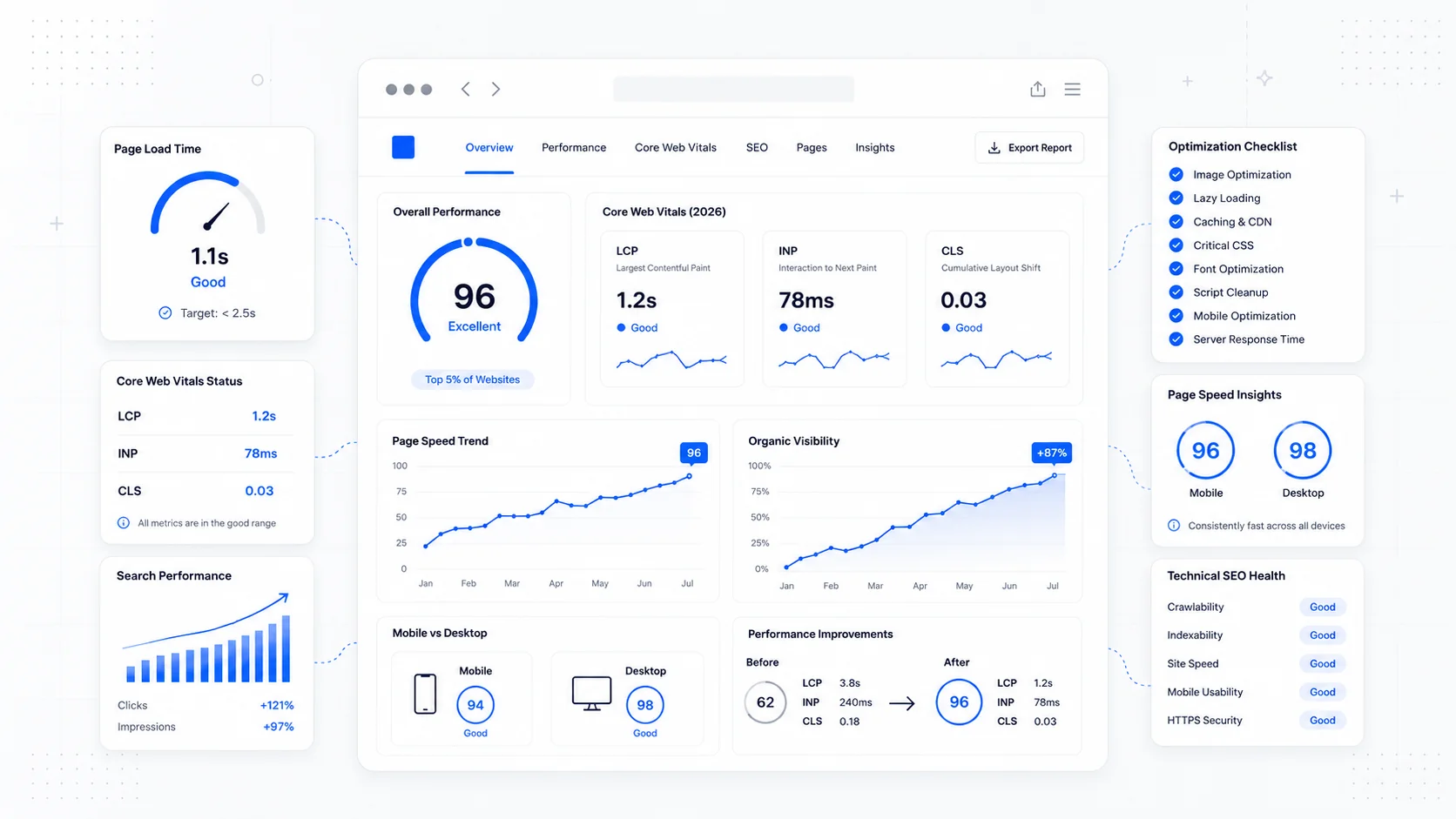
Page speed has been an SEO talking point for over a decade, but most small business sites still treat it as an afterthought. The site goes live, the design looks right on a designer's MacBook, and nobody opens it on a four-year-old Android until a customer complains.
Core Web Vitals are Google's attempt to make page experience measurable and comparable across the web. They are not the most important ranking factor on a small business site — relevant content and trustworthy signals still matter more — but they are a tiebreaker, and they correlate strongly with conversion. A page that scores well on Core Web Vitals usually feels good to use, which is the real point.
This guide covers what the metrics actually mean in 2026, why Google still uses them, and the fixes that tend to move the needle on a small business site.
What Core Web Vitals Actually Measure
Core Web Vitals are three field-data metrics that Google collects from real Chrome users via the Chrome User Experience Report (CrUX). They are not lab scores, and they are not theoretical. If your visitors have slow phones, weak connections, or are bouncing fast, your scores reflect that.
The three metrics:
- Largest Contentful Paint (LCP) — how quickly the largest visible element on the page renders. Google's threshold for "good" is 2.5 seconds or less.
- Interaction to Next Paint (INP) — how responsive the page feels when a user taps, clicks, or types. INP replaced First Input Delay in March 2024 and is now the standard. Good is 200 milliseconds or less.
- Cumulative Layout Shift (CLS) — how much the page visually jumps as it loads. Good is 0.1 or less.
The full, current definitions live on web.dev's Core Web Vitals overview, and Google's Search Central page experience documentation explains how the metrics fit into ranking.
The important nuance: Google grades the metric at the 75th percentile across your visitors. If three out of four people have a fine experience but one in four has a slow one, you are still failing. Speed is not an average problem; it is a long-tail problem.
Why Google Still Cares in 2026
There is occasional debate about how much weight Core Web Vitals carry. Google has been clear that page experience is a ranking signal, not the ranking signal — relevance still wins ties. But three things keep the metrics relevant in 2026:
- Mobile traffic dominates almost every small business vertical, and mobile is where speed problems hurt most.
- Generative search results increasingly pull from fast, well-structured pages because those pages render reliably and have clean signals.
- Conversion rates fall sharply as load times rise. Speed is a business problem before it is an SEO problem.
If two sites are roughly equivalent on content, trust, and intent match, the faster one wins more often. That is the entire reason to care.
Largest Contentful Paint: Get the Hero Visible Fast
LCP is usually the easiest of the three to fix and the one that most small business sites fail. The "largest content" on most pages is a hero image, a hero video, or a big block of headline text. The fixes are well-trodden.
Common LCP killers and their fixes:
- Oversized hero images. Serve the image at the size it actually displays, in a modern format (AVIF or WebP), and use
srcsetso phones do not download a 4000-pixel-wide file. - Slow hosting or distant servers. Host on a fast platform with a global CDN. For most small business sites, the bottleneck is not the framework — it is the server location and the cache strategy.
- Render-blocking resources. Defer or async non-critical scripts. Avoid loading three different font families and a heavy icon library before anything renders.
- Late-loaded hero images. Mark the LCP image with
fetchpriority="high"and avoid lazy-loading anything in the first viewport. - Heavy third-party tags. Chat widgets, A/B testing snippets, and customer data platforms loaded synchronously will wreck LCP. Defer them or load them after interaction.
If your site lives on a slow shared host or an outdated platform, the cleanest fix is often a hosting and migration project rather than another round of plugin tuning.
Interaction to Next Paint: Stop Blocking the Main Thread
INP is the metric most teams misunderstand. It is not page load — it measures how long the page takes to respond when a user actually interacts with it. The single biggest cause of bad INP is too much JavaScript running on the main thread.
Practical INP fixes:
- Audit third-party scripts. Marketing tags, session replay, heatmaps, and ad pixels are common culprits. Remove what you do not actively use.
- Defer non-critical JavaScript so it does not run during the user's first interactions.
- Replace heavy client-side components with simpler server-rendered alternatives where possible. A static FAQ does not need a JavaScript framework.
- Avoid large hydration payloads on landing pages. The first page a visitor sees should be lean.
- For sites built on a modern framework, use server components and streaming where the framework supports them.
Web.dev's INP guide goes deep on diagnosis. The shortcut for most small business sites: count your third-party scripts, then cut half of them.
Cumulative Layout Shift: Reserve Space for Everything
CLS is the most fixable of the three because the causes are usually structural. Layout shifts happen when something appears late and pushes existing content around. The fixes are mechanical.
The repeat offenders:
- Images and videos without explicit width and height attributes.
- Ads or embeds that load into containers without reserved space.
- Web fonts that swap in and reflow text.
- Cookie banners and announcement bars that push the page down after a delay.
- Dynamically injected content above existing content.
The fix is the same in every case: reserve the space before the content arrives. Set width and height on media. Reserve a block for the cookie banner. Use font-display: optional or preload critical fonts. Inject new content below the fold or with transform instead of by changing layout flow.
How to Measure Without Drowning in Tools
A small business does not need a performance monitoring stack. You need three things:
- Google Search Console's Core Web Vitals report — shows real-user data grouped by URL pattern, broken into "good," "needs improvement," and "poor."
- PageSpeed Insights (pagespeed.web.dev) — gives you both lab scores and the same field data for any URL.
- Chrome DevTools Lighthouse — for diagnosing specific pages during development.
Check Search Console monthly. Run PageSpeed Insights when you ship a meaningful change. That is enough for most sites.
What to Fix First on a Typical Small Business Site
If you are looking at a real site and wondering where to start, the order that usually delivers the most improvement per hour spent:
- Compress and resize hero images. Convert to AVIF or WebP.
- Audit and remove unused third-party scripts.
- Add
widthandheightto every image and reserve space for embeds. - Defer non-critical JavaScript and async-load chat widgets.
- Move to a host with a real CDN and edge caching.
- Preload critical fonts; use
font-display: swaporoptional. - Replace heavy client-side components with simpler alternatives where possible.
The first three are usually free and take an afternoon. The rest take longer but are the difference between a "needs improvement" site and a genuinely fast one.
When Speed Work Stops Being Worth It
There is a point of diminishing returns. Once a small business site is comfortably in the "good" range on all three metrics, more performance work rarely moves rankings or conversions in a measurable way. Spend the next dollar on better content, clearer service pages, or actual conversion improvements instead.
The teams that get the most out of Core Web Vitals are the ones who treat speed as part of the build, not a separate phase. That is the philosophy behind our SEO-focused website builds and how we approach every website redesign — performance and content shaped together, not bolted on at the end.
If your current site is slow, scoring poorly in Search Console, or losing mobile visitors before they get to the form, an audit is usually the right first step. We pair that with our website care and maintenance plans so the gains stick after launch instead of quietly eroding over the next year.
Speed is not glamorous work, but it is one of the few SEO investments where the user experience and the search engine want the same thing. Build for the visitor, and the rankings tend to follow.
More posts from the blog.

From Contact Form to CRM: The Minimum Lead Pipeline Every Service Business Should Automate
A practical lead pipeline for service businesses: connect forms, calls, email, CRM records, reminders, follow-ups, and reporting so good leads stop disappearing.

The 2026 Website Content Refresh Playbook: Updating Old Pages Without Breaking SEO
A practical content refresh process for small business websites: how to update stale pages, preserve rankings, improve AI search visibility, and avoid SEO mistakes.

The AI Chat Widget Decision: When It Helps Leads and When It Hurts Trust
AI chat widgets can qualify leads and answer common questions, but they can also slow the site, invent answers, mishandle privacy, and damage trust. Here is how to decide.
Keep reading?
More field notes from building modern websites and software for real businesses.