
Fast Loads, Slow Clicks: Why INP Is the Performance Metric Business Owners Should Care About
A plain-English guide to Interaction to Next Paint (INP): why fast-loading pages can still feel broken, what causes slow clicks, and how to fix the interactions that cost leads.
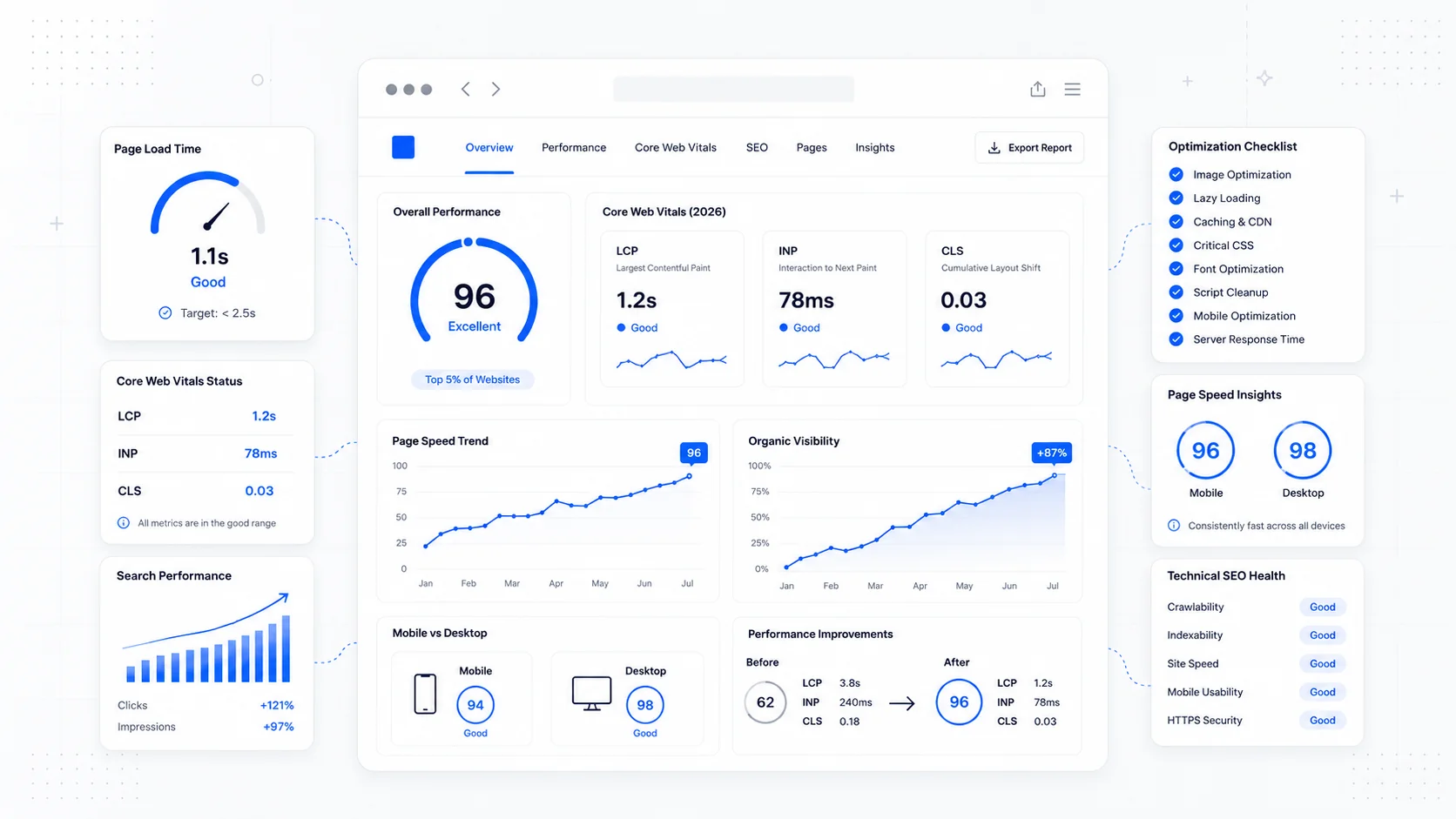
A website can load quickly and still feel slow.
That sounds contradictory until you watch someone use a site on a real phone. The page appears. The visitor taps the menu. Nothing happens for a beat. They tap again. The menu opens and closes. They try the booking button. The button looks dead. They scroll, tap a form field, wait, and start wondering whether the site is broken.
This is the problem Interaction to Next Paint, or INP, was designed to measure.
Most business owners understand load speed. They know a slow page loses visitors. INP is the next layer: how quickly the page responds after it appears.
For service businesses, this matters because the most valuable moments are interactions: opening the mobile menu, tapping the phone number, selecting a service, submitting a form, choosing an appointment time, or clicking the quote button.
If those interactions lag, leads leak.
What INP Measures
Interaction to Next Paint is a Core Web Vitals metric that measures responsiveness. It looks at user interactions throughout the page visit and reports whether the page was able to respond quickly.
The interactions that matter for INP are:
- Mouse clicks.
- Taps on touchscreens.
- Key presses.
INP is not just first impression performance. That was closer to First Input Delay, the older responsiveness metric. INP looks across the life of the page. That is important because many slow interactions happen after the page looks finished.
According to web.dev, a good INP is 200 milliseconds or less at the 75th percentile of page loads. Between 200 and 500 milliseconds needs improvement. Above 500 milliseconds is poor.
You do not need to memorize the math. The business translation is easier:
- Under 200ms: feels responsive.
- 200-500ms: users may notice lag.
- Over 500ms: the site can feel broken.
Why Page Load Scores Are Not Enough
Traditional speed work often focuses on the first few seconds:
- How fast does the page start rendering?
- How fast does the hero image load?
- How fast does the largest content element appear?
Those are still important. But a visitor does not stop after looking at the page. They use it.
A page can have a decent load score and poor interactions because:
- Too much JavaScript runs after load.
- Third-party scripts block the main thread.
- A heavy menu animation freezes the interface.
- The form validation library is bloated.
- A booking widget loads late and reacts slowly.
- Chat widgets compete for resources.
- Large component libraries ship more code than needed.
- Analytics and ad scripts pile up over time.
This is why business owners sometimes say, "PageSpeed says the site is fine, but customers say it feels clunky."
Both can be true. The site may appear quickly and respond slowly.
Where Slow Interactions Usually Hide
For service business websites, check these first.
Mobile navigation
The mobile menu is often the first interaction. If it lags, the whole site feels cheap.
Problems:
- Huge JavaScript bundle just to open a menu.
- Animation running on layout-heavy properties.
- Dropdown logic attached to too many listeners.
- Menu hidden behind a chat widget.
- Focus handling that breaks keyboard use.
The mobile menu should open immediately, visibly, and predictably.
Quote forms
Forms are lead capture. Slow forms are expensive.
Problems:
- Heavy validation on every keystroke.
- Conditional fields that re-render the whole form.
- Address autocomplete scripts blocking input.
- File upload previews freezing the page.
- Spam tools running at the wrong moment.
Validation should help, not punish the user for typing.
Booking embeds
Third-party booking tools are convenient but can be heavy.
Problems:
- Large iframe loads late.
- Calendar interactions lag.
- Time slot selection is unclear.
- Confirmation button blocks while scripts run.
- The embed competes with chat, analytics, and tracking scripts.
If booking is a primary conversion path, test it like a primary conversion path.
Chat widgets
Chat can help conversion. It can also hurt performance.
Problems:
- Widget loads on every page whether needed or not.
- Script downloads multiple dependencies.
- Bubble covers buttons.
- Popup appears before the user can read.
- Widget introduces long tasks that harm INP.
Do not install chat and assume it is free. Measure it.
Filters, galleries, and sliders
Project galleries, package filters, pricing toggles, and sliders can all create interaction problems when they are overbuilt.
If a component is not central to conversion, it should not slow down the page.
How to Find INP Problems
Start with field data when possible.
Tools:
- PageSpeed Insights.
- Search Console Core Web Vitals report.
- Chrome User Experience Report when available.
- Real User Monitoring if the site has enough traffic.
- The
web-vitalsJavaScript library for custom measurement.
Field data matters because lab tests do not always click the things real users click. A lab report may load the page and stop. A customer opens a menu, filters a gallery, types into a form, changes their mind, and submits from an older Android phone.
When field data shows poor INP, reproduce common flows:
- Load the page on a mid-range phone or throttled browser.
- Open the menu during load.
- Tap primary CTAs.
- Fill the form.
- Open and close accordions.
- Use the booking widget.
- Try the chat widget.
- Repeat on pages with heavy images or embeds.
You are looking for moments where the interface does not give feedback immediately.
What Usually Fixes INP
The exact fix depends on the codebase, but common fixes include:
- Remove scripts that are not needed.
- Delay non-critical third-party scripts.
- Split JavaScript by route or component.
- Reduce work during input events.
- Avoid re-rendering large sections after small interactions.
- Use CSS transforms and opacity for animations instead of layout-heavy properties.
- Keep form validation lightweight.
- Load booking and chat tools only where they matter.
- Break long tasks into smaller chunks.
- Use native browser controls where possible.
- Test on mobile hardware, not only desktop.
The boring fix is often the best fix: ship less JavaScript.
Many sites are slow to interact because they are carrying years of marketing scripts, old pixels, unused plugins, and heavy widgets that nobody has audited. Performance maintenance is not only compression and image optimization. It is deciding what deserves to run on the page.
The Business Case
INP matters because hesitation feels like distrust.
When a visitor taps "Request a Quote" and nothing happens, they do not think "the main thread is blocked." They think:
- Did I tap it?
- Is this broken?
- Is this business sloppy?
- Should I call someone else?
That tiny doubt is enough to reduce conversion.
This is especially true on mobile, where buyers are impatient and distractions are constant. A slow click during a high-intent moment can cost more than a slow blog page.
Prioritize INP fixes on:
- Homepage.
- Main service pages.
- Contact page.
- Quote form.
- Booking flow.
- Pricing page.
- High-traffic blog posts with CTAs.
Do not spend three days optimizing a decorative page while the quote form lags.
A Practical INP Audit
Use this checklist:
- Test the mobile menu.
- Test primary CTAs during page load.
- Test every field in the main lead form.
- Test form errors and submission.
- Test booking widgets.
- Test chat widgets.
- Test accordions, tabs, sliders, and filters.
- Review third-party scripts.
- Check performance on mobile, not only desktop.
- Look for long tasks in Chrome DevTools.
- Remove scripts that do not support conversion or measurement.
Then repeat after every major marketing addition. The new heatmap tool, review widget, chat platform, or ad pixel may be the thing that pushes the page over the line.
Fast Means Responsive
Page speed used to be discussed like a loading problem. In 2026, performance is also an interaction problem.
The page has to appear quickly, then behave quickly.
For business owners, INP is useful because it points to the part of performance customers actually feel after the first screen: does the site respond when I try to do something?
If the answer is no, fix that before chasing another design flourish. A beautiful page with slow clicks is not premium. It is friction in a nicer outfit.
The fastest-feeling sites are not always the flashiest. They are the ones that answer immediately when the customer acts.
More posts from the blog.
From Contact Form to CRM: The Minimum Lead Pipeline Every Service Business Should Automate
A practical lead pipeline for service businesses: connect forms, calls, email, CRM records, reminders, follow-ups, and reporting so good leads stop disappearing.
The 2026 Website Content Refresh Playbook: Updating Old Pages Without Breaking SEO
A practical content refresh process for small business websites: how to update stale pages, preserve rankings, improve AI search visibility, and avoid SEO mistakes.
The AI Chat Widget Decision: When It Helps Leads and When It Hurts Trust
AI chat widgets can qualify leads and answer common questions, but they can also slow the site, invent answers, mishandle privacy, and damage trust. Here is how to decide.
Keep reading?
More field notes from building modern websites and software for real businesses.