
How to Do Keyword Research for a Service Business Website (Without Guessing)
A practical keyword research process for service businesses. Search intent, local modifiers, free tools, and competitor gap analysis — without paid software or guesswork.
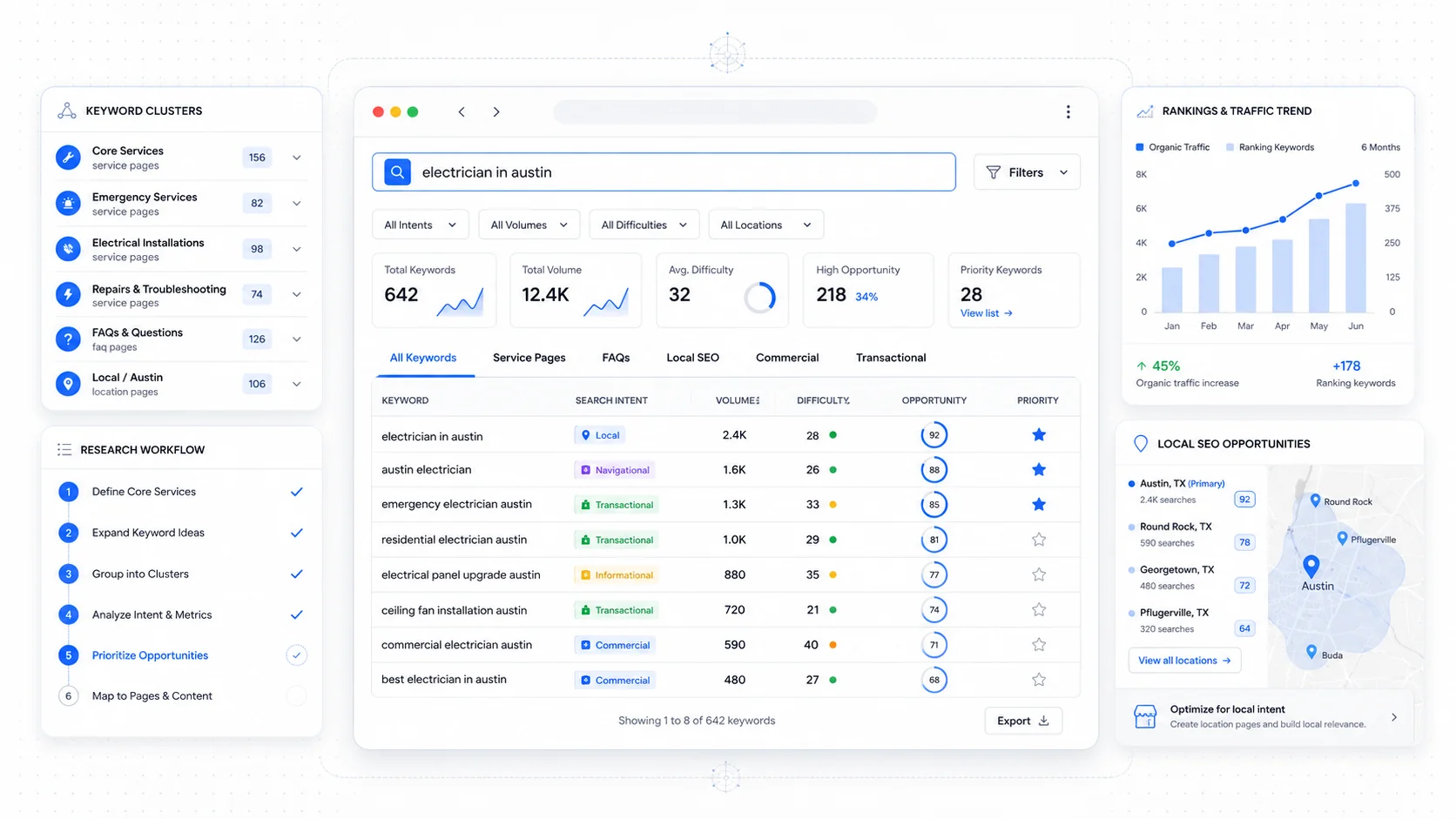
Most service businesses pick keywords the way they pick a lottery number. Someone hears that "emergency plumber" gets searched a lot, the homepage gets stuffed with the phrase, and six months later nothing has changed. The traffic that does arrive is the wrong shape — tire-kickers, students writing essays, people in the wrong city. The phone does not ring more.
Real keyword research is not about volume. It is about figuring out which queries match what you sell, where the people typing them are in their decision, and whether you can plausibly compete for them. It is closer to market research than to lottery math, and the entire process can be done with free tools and a few hours of focused work.
This is the process I use on every new service business site. No paid software required. The same steps apply whether you serve one zip code or a metro area.
Start With Search Intent, Not Volume
Every search query has an intent behind it. Google has spent years getting better at recognising those intents, and pages that match the wrong intent rarely rank no matter how good the content is. The standard buckets, summarised neatly in Backlinko's guide to search intent:
- Informational: someone wants to learn ("what is a sump pump")
- Navigational: someone wants to reach a specific site or business ("acme plumbing reviews")
- Commercial investigation: someone is comparing options before buying ("best plumbers in Cleveland")
- Transactional: someone is ready to act ("emergency plumber near me")
For a service business, the money is overwhelmingly in commercial and transactional queries. Informational content has a role — it builds authority, captures top-of-funnel traffic, and feeds your internal linking — but the homepage and service pages should be tuned to the queries from people ready to call.
The simplest way to read intent is to type the query into Google and look at what is already ranking. If the page-one results are all blog posts, Google has decided the query is informational. If they are all service pages and Google Business Profile listings, it is transactional. If they are a mix, Google is hedging. Build accordingly.
Google's official guidance on understanding search intent covers this from the helpful-content side: match what searchers want, do not just answer what the keyword literally asks.
Build Your Seed List the Honest Way
Before opening any tool, write down what you actually do. Not the marketing version — the version a customer would say out loud on the phone.
The exercise:
- List every service you sell, in plain language. "Drain cleaning," not "hydro-jetting solutions."
- List every problem you solve. "Toilet won't flush," "AC keeps shutting off," "moving across town in one day."
- List every product or brand name you work with that customers care about. ("Tesla wall charger installation" is a real query with real intent.)
- List the towns, neighborhoods, or zip codes you actually serve. Be specific.
- Add the modifiers customers use: "near me," "24 hour," "emergency," "affordable," "licensed," "best."
This list — usually 30 to 80 phrases — is your seed. Every tool below expands from this base. The seeds that are wrong (because you wrote what you sell instead of what people search for) lead to bad keyword sets no matter how good the tools are.
Use Google Keyword Planner for Volume Sanity Checks
Keyword Planner is free with any Google Ads account, and you do not need to spend on ads to use it. It is the most direct view into the volume Google itself sees. The volumes are bucketed and slightly fudged for non-spending accounts, but they are accurate enough for relative comparison.
In Google Keyword Planner, use the "Discover new keywords" tool. Paste your seed list five at a time. Filter by location to your actual service area, not the whole country.
What to look for:
- Keywords with 10–500 monthly searches in your service area. These are the realistic targets for a small business — high enough to matter, low enough to win.
- Seasonal patterns. The "Trends" column tells you which queries spike in summer or winter. A roofer should know that "ice dam removal" peaks in January, not March.
- Long-tail variations of your seeds you would not have written down. Keyword Planner is mediocre at intent but excellent at surfacing the variations real people type.
Ignore the broad national volumes. A service business in one city does not care that "plumber" gets 200,000 monthly searches in the United States. They care about the 480 in their county.
Mine Google Search Console for What You Already Rank For
If your site has been live for more than a few months, Google Search Console is the best keyword research tool you own. Real queries, real impressions, real clicks, all from your actual visitors.
Open the Performance report and:
- Sort by impressions, descending. Look for queries with high impressions but low click-through rates. These are pages where you appear but rarely get the click — usually a title tag or meta description fix.
- Filter by position 5–20. These are queries where you rank on page one or just below. Small improvements here move the needle faster than chasing brand new keywords.
- Filter by query containing your service area names. See what local variations are pulling impressions you may not have known about.
- Compare two date ranges (last 28 days vs the previous 28). Rising queries tell you what is gaining traction; falling queries are an early warning.
Google's Search Console help on the Performance report explains the metrics in detail. The data is filtered for privacy, so very low-volume queries may be hidden, but for most small businesses 80% of useful queries appear.
This step alone often reshapes a keyword strategy more than any external tool. You are not guessing what people search for — you are watching what they have already typed to find you.
Use AnswerThePublic for the Question Layer
Service businesses that only target transactional queries leave a huge amount of intent on the table. Every transaction is preceded by questions: "how much does X cost," "should I hire a pro for X," "what causes X." Answering those questions earns you trust before the buying intent shows up.
AnswerThePublic takes a seed and returns the questions, comparisons, and prepositions people search around it. The free tier limits searches per day but is enough for a focused round of research. Type "drain cleaning," and you will see "drain cleaning vs snake," "how much drain cleaning costs," "drain cleaning while pregnant," and dozens more.
Treat the output as a content map, not a keyword list:
- Use the questions as blog post or FAQ topics.
- Pair related questions into pillar pages.
- Watch for questions that suggest urgency or recurring problems — those convert better than generic curiosity.
Google's People Also Ask feature does the same job inside the search results. Run a few of your seed terms in Google, expand the People Also Ask boxes, and write down every question. The results often show intent layers Keyword Planner misses entirely.
Layer In Local Modifiers
For a service business, the difference between "plumber" and "plumber in Akron" is the difference between a page that never ranks and a page that books jobs. Local modifiers turn generic queries into ones you can actually compete for.
The modifiers that matter:
- City names: every town in your service area, plus common abbreviations.
- Neighborhood names: often less competitive and very high intent. "Tremont plumber" beats "Cleveland plumber" for local relevance even though the volume is lower.
- Zip codes: rare but high intent. People who search by zip almost always need help fast.
- "Near me": Google handles this query type primarily through location, not the literal phrase. Do not stuff "near me" everywhere — focus on actually being near them in Google's eyes through Google Business Profile and local landing pages.
- Highway, landmark, and county names: useful for service-area pages.
Moz's local SEO guide covers the geographic modifier patterns Google looks for. The shortcut: for each service you offer, build a service page for the service alone and consider supplementary pages for the most important service-plus-location combinations. Do not build hundreds of thin location pages — build a small number of genuinely useful ones.
For more on the structural side, our guide on local SEO for service businesses walks through how the page architecture should connect to the keyword research.
Run a Competitor Gap Analysis Without Paid Tools
Competitor gap analysis is the part most people skip because they assume it requires Ahrefs or Semrush. You can do a meaningful version with free tools.
Pick three to five competitors who consistently outrank you in your service area. Then:
- Run their main service URLs through PageSpeed Insights and look at the page metadata. Their title tags and meta descriptions are visible in any browser tab.
- Open their sitemap (
/sitemap.xml) and scan for pages they have that you do not. A competitor with 40 service-area pages is telling you what they think is worth ranking for. - Site-search Google with
site:competitor.comto see what is indexed. This often surfaces blog topics, FAQs, and comparison pages worth modeling. - Look at their Google Business Profile categories, services, and review responses. Their Q&A section often shows the questions real customers ask.
- Use the free tier of Ubersuggest or Ahrefs Webmaster Tools (free with verified domain ownership) for a first look at the keywords competitors rank for that you do not.
Ahrefs publishes keyword research guides that go deep on the gap analysis methodology. Even without paying, the principle is the same: identify what competitors rank for that you should be ranking for, and prioritise the ones that match your highest-margin services.
Build a Keyword Map, Not a Spreadsheet of Hopes
The final output of keyword research should not be a list of 400 keywords. It should be a keyword map — every target query assigned to exactly one page on the site.
A working keyword map for a small service business has:
- One column for the URL.
- One column for the primary keyword (the single query the page is optimised for).
- One column for two to five secondary keywords (closely related variations).
- One column for the search intent.
- One column for the priority (high, medium, low).
This forces a discipline that pays off later: every page has one job, no two pages compete for the same query, and you can see at a glance which services or locations have no page assigned. The map also drives your internal linking — pages that share semantic territory link to each other, pages that do not, do not.
If you are about to redesign or rebuild, the keyword map should drive the sitemap. That is the order we use on every SEO-focused website build we ship — research first, structure second, content third. Doing it in the other order is how you end up with a beautiful site that ranks for nothing.
Prioritise by Reach Times Effort, Not Volume Alone
Once you have a list, the temptation is to chase the highest-volume keywords. Resist. The right priority for a small business is usually:
- Keywords you already rank for in positions 5–15. Improving an existing position is far cheaper than earning a new one.
- Long-tail queries with clear local intent. Lower volume, much higher conversion rate, much easier to win.
- Service-plus-location combinations for your highest-margin services. These are the queries that produce the best customers.
- Question-based content that supports the above. Build the trust layer that helps the transactional pages convert.
- High-volume head terms. Last, if at all. These are slow, expensive wins for a small business and rarely repay the investment.
Search Engine Journal's keyword prioritisation framework is worth reading once if you want a more formal scoring system. The blunt version: pick the queries you can win with the next twelve months of work, not the ones you wish you could win.
A Practical Process to Run This Week
If you want to get this done rather than read about it, the sequence that produces a usable keyword map in a week of evenings:
- Write your seed list of services, problems, and locations.
- Expand each seed in Google Keyword Planner; save the relevant variations.
- Pull last 12 months of queries from Google Search Console; flag underperformers in positions 5–20.
- Run your top 10 seeds through AnswerThePublic; collect the question variations.
- Audit three competitors' sitemaps and metadata; note pages they have that you do not.
- Combine into one master list, dedupe, and assign intent to every query.
- Map each query to a single URL on your existing or planned site.
- Prioritise by existing position, intent, and margin — not raw volume.
Once the map is built, the rest of SEO becomes a series of obvious next moves: which page needs a better title tag, which service needs its own page, which question deserves a dedicated post, which location deserves a service-area page. The work becomes execution, not guessing.
If you want this done for you alongside a build or redesign, our SEO-focused website builds include keyword research and a structured site map as the first phase, so the architecture is shaped around what your customers actually search for. You can also see how this plays out across recent client work on our projects page — most of the gains come from picking the right queries first, then building the rest of the site to match.
More posts from the blog.

From Contact Form to CRM: The Minimum Lead Pipeline Every Service Business Should Automate
A practical lead pipeline for service businesses: connect forms, calls, email, CRM records, reminders, follow-ups, and reporting so good leads stop disappearing.

The 2026 Website Content Refresh Playbook: Updating Old Pages Without Breaking SEO
A practical content refresh process for small business websites: how to update stale pages, preserve rankings, improve AI search visibility, and avoid SEO mistakes.

The AI Chat Widget Decision: When It Helps Leads and When It Hurts Trust
AI chat widgets can qualify leads and answer common questions, but they can also slow the site, invent answers, mishandle privacy, and damage trust. Here is how to decide.
Keep reading?
More field notes from building modern websites and software for real businesses.