
Migrating Off WordPress: A Calm, Step-by-Step Plan
A practical, step-by-step plan for small businesses moving off WordPress to a modern stack without losing SEO, leads, or the pages that already work.
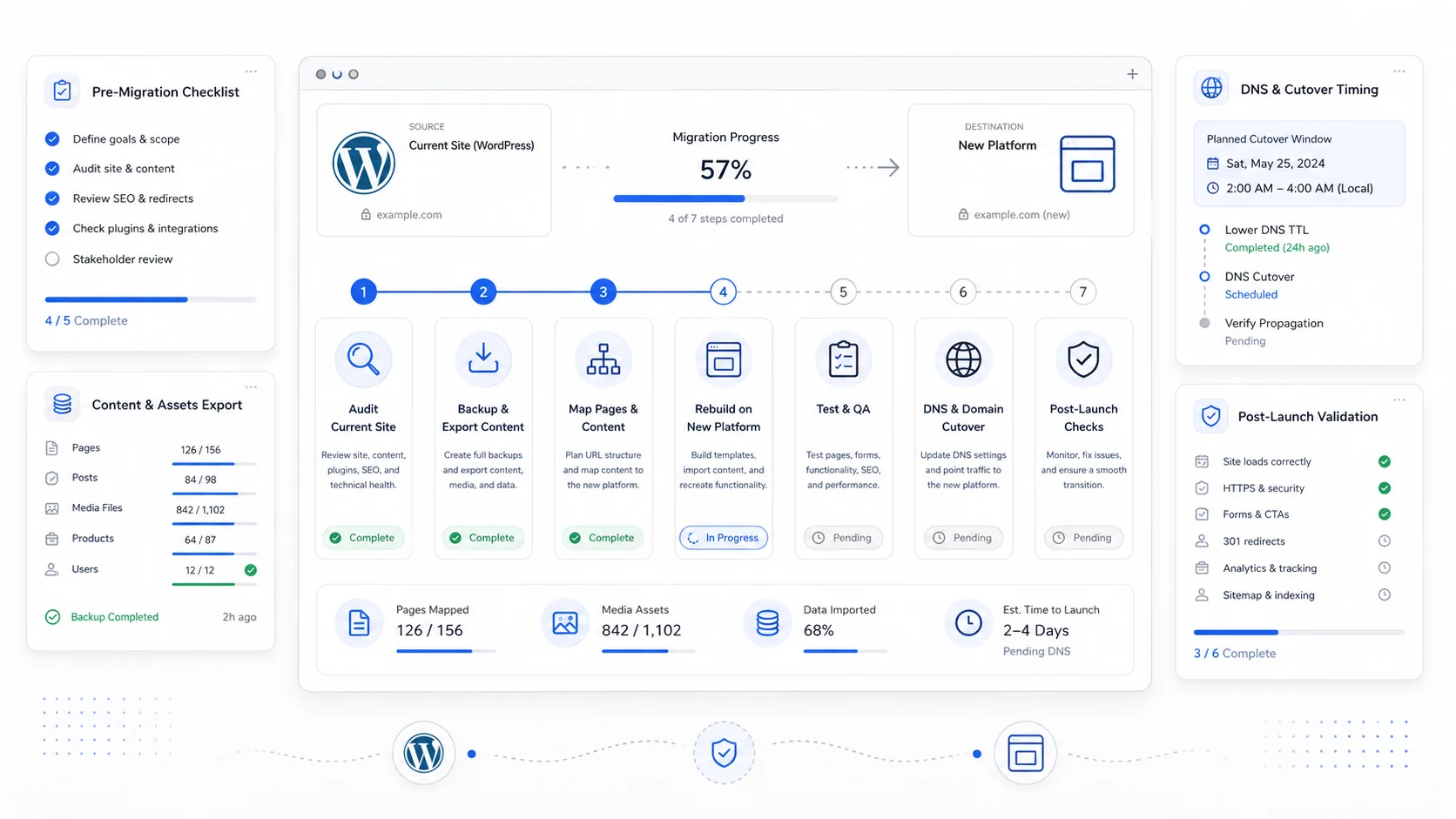
WordPress was the right answer for a long time. For a lot of small businesses, it still is. But for many service businesses we talk to, the platform has quietly become the source of most of their problems: slow pages, plugin conflicts, a fragile editor, recurring security alerts, hosting bills that climb every renewal, and a maintenance burden that grows every year.
Moving off WordPress does not have to be dramatic. It should be calm, measured, and sequenced so that nothing important breaks. The goal is not to "blow up the old site." The goal is to land a faster, simpler, more maintainable site without losing the search rankings, leads, and content investments you already paid for.
This is the plan we use when we help businesses move from WordPress to a modern stack like Next.js, Astro, or a static-first build hosted on a modern edge platform. You can follow it with us, with another team, or on your own.
Start With Why You Are Moving
Before any migration plan, write down the actual reasons for the move. Vague dissatisfaction is not enough.
Common, legitimate reasons to leave WordPress:
- The site is slow on mobile and Core Web Vitals are poor.
- Plugin updates keep breaking the editor or front end.
- Hosting and plugin license costs have crept past what the site is worth.
- You are paying a developer just to keep things online, not to grow the site.
- A breach, malware, or "white screen of death" event already happened once.
- The team that built the site is gone and nobody understands the stack anymore.
- You want a custom client portal, booking flow, or automation that fights the WordPress page model.
If your reasons match a few of these, a migration is probably worth it. If your only complaint is "the design feels old," a redesign on a modern platform might be more honest than a full migration.
Audit What You Actually Have
You cannot migrate what you have not inventoried. Spend a half day pulling the current state of the site into a single document.
At minimum, capture:
- Every published page and post URL.
- Top organic landing pages from Google Search Console.
- Pages with backlinks.
- Pages that generate calls, form submissions, or bookings.
- Every active plugin and what it actually does.
- Custom post types, taxonomies, and ACF fields.
- Forms, the destinations they send to, and any integrations.
- Media library size and which images are actually used.
- DNS records, email routing, and any subdomains.
- Hosting account, domain registrar, SSL provider, and CDN.
This is the part most teams skip, and it is also the part that protects you from accidentally deleting pages that are quietly carrying revenue. Google's site move documentation is blunt about this: an audit before the move is the difference between a smooth transition and a recovery project.
Pick the Right Replacement Stack
There is no single "best" replacement for WordPress. The right answer depends on who will edit the site, how much custom logic it needs, and what your team can maintain.
A few honest patterns we see work for small businesses:
- Marketing site, mostly static: Next.js or Astro with content in markdown or a simple CMS. Fast, cheap to host, easy to back up.
- Marketing site plus light app features: Next.js with Supabase or a similar backend. Good for booking, gated content, or a client portal.
- Heavy editorial site, many non-technical authors: a headless CMS like Sanity, Contentful, or Payload, paired with a Next.js or Astro front end.
- E-commerce: Shopify or a headless commerce setup, depending on volume and customization.
Whatever you pick, make sure it solves your actual complaints. Moving to a faster stack does not help if the new editor is harder for your team than WordPress was.
Export Content Without Losing Structure
WordPress hides a lot of content inside its database. A clean export plan saves weeks later.
Practical steps:
- Export posts and pages via the built-in WordPress exporter or the REST API.
- Pull custom fields and custom post types separately if you use ACF or similar.
- Download the media library in full, then strip out unused images.
- Convert HTML content to clean markdown if you are moving to a markdown-driven stack.
- Preserve image alt text, captions, and publish dates.
- Re-create authors, categories, and tags only if you actually use them.
Treat this as a chance to clean house. If a category has one post in it, retire it. If a blog post got 4 visits in 18 months and has no backlinks, do not migrate it just because it exists.
Plan Redirects Before You Touch DNS
URL changes are where most migrations bleed traffic. The fix is unglamorous: a redirect map, written before launch.
For every old URL that has any value, decide:
- Keep the same URL on the new site.
- Redirect to the closest relevant new URL with a 301.
- Intentionally retire it (and accept the 404).
Avoid the lazy pattern of redirecting every old URL to the homepage. Google treats those as soft 404s, and visitors who searched for a specific answer end up annoyed. Google's site move guidance and redirects and Google Search documentation cover the details, but the principle is simple: every important old URL should land on a new URL with the same intent.
This is the same discipline we use on any SEO-friendly redesign. Migrations are just redesigns with more moving parts.
Replace Plugins With Intentional Features
A WordPress migration is also a plugin audit. Most sites we look at are running plugins that duplicate work, slow the front end, or have not been updated in years.
For each plugin, ask:
- Is this feature still needed?
- Can the new stack handle it natively?
- Does it need to be a plugin, or can it be a small piece of code?
- Is there a SaaS that does this better (forms, analytics, scheduling, search)?
Common replacements when moving off WordPress:
- Contact Form 7 / Gravity Forms → a typed form component posting to a server action or a service like Formspree.
- Yoast / Rank Math → built-in metadata, sitemap, and structured data in the new framework.
- WP Super Cache / WP Rocket → static generation and edge caching at the platform level.
- Wordfence → platform-level WAF and rate limiting.
- WooCommerce (for simple stores) → Shopify or a hosted commerce backend.
You do not have to replicate every plugin. You have to replicate the outcome.
Stage, Test, Then Cut Over
Never migrate live. Build the new site on a staging domain, then cut over once it is verified.
Before the cutover, run through:
- Every redirect resolves correctly.
- Forms submit and notifications arrive.
- Analytics, conversion tracking, and tag manager fire.
- Sitemap and robots.txt are correct.
- SSL is valid on the new host.
- DNS TTLs are lowered 24-48 hours ahead so the cutover propagates fast.
- A full backup of the old site is stored somewhere you control.
When the cutover happens, keep the old site reachable on a temporary subdomain for at least a few weeks. If something on the new site is missing, you want a reference, not a panic.
This is the same approach we used on the Sirius Canine Fertility rebuild, where we moved both the site and the business email off legacy hosting in a single coordinated window without downtime.
Watch the First 30 Days
Migrations are not finished at launch. The first month is when the search engines re-crawl, redirect chains get tested in the real world, and edge cases surface.
Track:
- Google Search Console coverage and indexing.
- 404 reports from Search Console and your analytics.
- Organic landing page traffic versus the pre-migration baseline.
- Form submissions and call volume.
- Core Web Vitals on key templates, using guidance from web.dev.
- Any pages that lost rankings, so you can fix the redirect, content, or metadata.
Small dips and fluctuations are normal. Sustained drops on important pages are a signal, and they are usually fixable if you catch them in the first few weeks.
When To Bring In Help
If your WordPress site has years of content, real organic traffic, custom post types, integrations, or a long plugin list, this is not a weekend project. The cost of a botched migration, in lost rankings and lost trust, is usually higher than the cost of doing it carefully.
Sites That Grow handles WordPress migrations as part of hosting and migration projects, often paired with a redesign so the new site is genuinely better, not just a faster copy of the old one. If you are thinking about leaving WordPress, the right first step is an audit, not a rebuild.
More posts from the blog.

From Contact Form to CRM: The Minimum Lead Pipeline Every Service Business Should Automate
A practical lead pipeline for service businesses: connect forms, calls, email, CRM records, reminders, follow-ups, and reporting so good leads stop disappearing.

The 2026 Website Content Refresh Playbook: Updating Old Pages Without Breaking SEO
A practical content refresh process for small business websites: how to update stale pages, preserve rankings, improve AI search visibility, and avoid SEO mistakes.

The AI Chat Widget Decision: When It Helps Leads and When It Hurts Trust
AI chat widgets can qualify leads and answer common questions, but they can also slow the site, invent answers, mishandle privacy, and damage trust. Here is how to decide.
Keep reading?
More field notes from building modern websites and software for real businesses.