
Stripe Integrations for Service Businesses: Beyond Just Payments
What service businesses can do with Stripe beyond accepting cards: subscriptions, payment links, the customer portal, Connect, and dunning that recovers revenue.
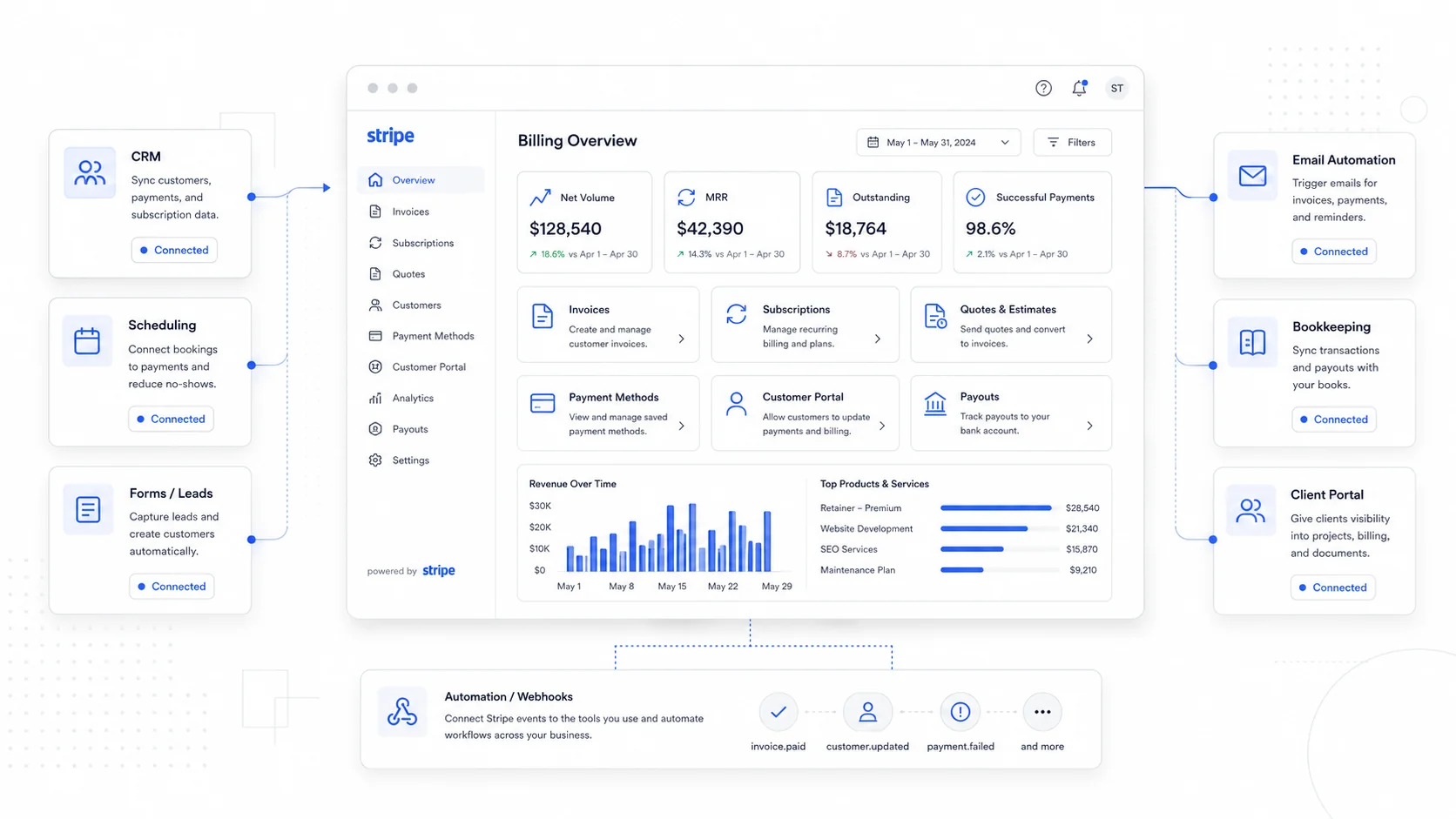
For most service businesses, Stripe starts as "the thing that takes the credit card." That alone is a big improvement over phone or check payments, but it is the smallest version of what Stripe can do.
The more interesting features sit one layer deeper: recurring billing, payment links, the customer portal, automatic dunning, and Connect for marketplaces. Each one removes a specific kind of admin work or recovers revenue that a service business would otherwise lose quietly.
This post is a tour of the Stripe features worth integrating, and an honest take on which ones are worth the integration time.
Start With What Stripe Does Well
Stripe is good at three things that matter for service businesses:
- Accepting payments reliably across cards, wallets, ACH, and local methods.
- Storing customer payment data so you can charge them again without re-collecting it.
- Sending events when something happens (a payment succeeds, a subscription renews, a card fails) so other systems can react.
Most of the value beyond basic checkout comes from the third item. Once you treat Stripe as a source of events, not just a checkout button, the integrations get more interesting.
A good starting point is the Stripe documentation, which is unusually clear for a developer product. You do not need to read all of it. You need to know which sections matter for your business, which is what the rest of this post is about.
Recurring Billing for Service Businesses
If any part of your business is on a monthly or annual plan, Stripe Billing is probably the highest-leverage integration after basic checkout.
What it handles for you:
- Subscription lifecycles (create, upgrade, downgrade, pause, cancel).
- Proration when a customer changes plans mid-cycle.
- Multiple line items on one invoice.
- Tax calculation, if you enable Stripe Tax.
- Coupons, trials, and metered usage if you need them.
- Automatic invoice generation and delivery.
For service businesses, this is useful for retainers, maintenance plans, hosting plans, monthly support, content packages, and any kind of "we do X every month" agreement. Instead of manually invoicing every month and chasing late payments, the customer is on file and the system bills them.
The integration work is real but bounded. You usually need a webhook handler that listens for subscription events and updates your own database, plus a way to provision and revoke access when subscriptions start, change, or end. Once that is in place, recurring revenue runs itself.
Payment Links for the Lowest-Effort Wins
Stripe Payment Links are the easiest Stripe integration to ship, and one of the most underrated.
A payment link is a hosted Stripe page tied to a specific product or amount. You can create one in the Stripe dashboard in under a minute and send it by email, text, or invoice.
Where they shine for service businesses:
- One-off project deposits.
- Add-on services that are not on the standard menu.
- Workshops, events, or training sessions.
- Booking fees or hold deposits.
- Pre-payment for materials.
Payment links remove a whole category of "let me figure out how to bill you" friction. They also make it easy for non-technical staff to take payment without having to log into the accounting tool.
Pair them with a short branded confirmation page and a webhook into your CRM or internal dashboard, and you have a clean, lightweight collection workflow.
Custom Invoices With Stripe Invoicing
For service businesses that already do per-project quoting, Stripe Invoicing is worth a look before reaching for a separate invoicing SaaS.
Stripe invoices can include:
- Multiple line items with custom descriptions.
- Taxes and discounts.
- Multiple accepted payment methods.
- Hosted invoice pages and downloadable PDFs.
- Automatic reminders for unpaid invoices.
- Memo and footer fields for terms.
The advantage of using Stripe Invoicing instead of a separate tool is that the customer, the payment method, the subscription, and the invoice all live in the same place. There is no reconciliation between a billing tool and a payments tool, because they are the same tool.
This becomes especially useful when you build a custom internal dashboard that needs to know who has paid what. You can read all of it from one source instead of stitching multiple SaaS APIs together.
The Customer Portal Saves Hours of Support
The Stripe Customer Portal is a hosted set of pages where customers can:
- Update their payment method.
- View past invoices and download PDFs.
- Cancel or change a subscription, if you allow it.
- Update billing details and tax information.
For a service business, this removes a slow stream of small support requests: "can you update the card on file," "can you send last month's invoice again," "can you cancel my plan." Each one is small, but they add up to real staff time.
The integration is small. You expose a button or link in your client portal that creates a Stripe billing portal session and redirects the customer there. They handle their own account, and your team handles real work.
Stripe Connect for Marketplaces and Multi-Party Payments
Stripe Connect is the right tool when money flows through your platform to other people. Common service-business cases:
- Marketplaces where multiple providers get paid.
- Directories where listed businesses collect payments through your site.
- Booking platforms that pay out service providers after a fee.
- Affiliate or referral programs that share revenue.
- Group buying or sponsorship platforms.
Connect is more complex than a standard Stripe integration. You have to think about onboarding the connected accounts (Express, Standard, or Custom), handling KYC, splitting funds, paying out, and reporting. It is not the right first integration for most businesses.
But when the model fits, Connect replaces a giant pile of manual bookkeeping. We used it for SeniorCenters and LocalCatholicChurches so that advertisers and properties could be billed and reconciled cleanly inside one custom dashboard, without manual splits.
If your business currently sends payouts by check or by transfer because no SaaS handles your model, Connect is worth a serious look.
Dunning: The Quietly Profitable Integration
Dunning is the polite term for "what happens when a card fails." It is one of the highest-ROI features in Stripe and one of the most ignored.
Stripe's Smart Retries and Recovery features can:
- Retry failed payments at smart intervals.
- Send branded reminder emails.
- Update card details automatically through card networks (Card Account Updater).
- Pause or downgrade access if recovery fails.
- Report on recovered versus lost revenue.
For any subscription business, a meaningful percentage of churn is involuntary: cards expire, banks decline, addresses change. A good dunning setup recovers a real share of that revenue without anyone touching it.
The integration work is mostly Stripe configuration plus a few webhook handlers in your own system to react to payment failures and recoveries. The payback is ongoing.
The Stripe blog often publishes updates and case studies on revenue recovery that are worth scanning.
Webhooks: The Glue That Makes It All Useful
Almost everything above depends on webhooks. Stripe sends events; your system reacts.
A typical service-business setup needs handlers for:
checkout.session.completedinvoice.paidinvoice.payment_failedcustomer.subscription.createdcustomer.subscription.updatedcustomer.subscription.deletedpayment_intent.succeededcharge.refunded
Behind each handler is a small bit of business logic: provision the service, mark the invoice paid, notify the customer, update the dashboard. This is where Stripe stops being "a payment widget" and becomes part of the operating system of the business.
If you already have marketing automations and integrations running, webhooks plug naturally into them. A failed payment can trigger a CRM task, a support email, and a slack notification, all from one event.
What Is Worth the Integration Work, Honestly
Not every Stripe feature is worth the time for every business. A practical ranking for most small service businesses:
- Basic checkout and payment links: yes, almost always.
- Recurring billing: yes, if any part of the business is recurring.
- Customer portal: yes, low effort, high return.
- Invoicing: yes, especially if you want one source of truth.
- Dunning and revenue recovery: yes, if you have any subscriptions at all.
- Connect: only if you genuinely have multi-party payments.
- Tax automation: useful, but evaluate against your accountant's setup.
Skip features that solve problems you do not have. Stripe is large enough that it is easy to over-integrate.
Final Takeaway
Stripe is much more than a credit card form. For service businesses, the real value comes from treating it as a billing system, an event source, and the financial backbone of an internal dashboard.
Recurring billing, payment links, the customer portal, dunning, and Connect each remove a specific kind of work or recover a specific kind of revenue. The integration work is real but well-documented, and it pays back faster than most other software investments.
Sites That Grow builds custom software and dashboards on top of Stripe for small service businesses, with a focus on the integrations that quietly earn their keep. If you are still copying card numbers into spreadsheets or chasing late invoices by hand, Stripe can do most of that for you.
More posts from the blog.

From Contact Form to CRM: The Minimum Lead Pipeline Every Service Business Should Automate
A practical lead pipeline for service businesses: connect forms, calls, email, CRM records, reminders, follow-ups, and reporting so good leads stop disappearing.

The 2026 Website Content Refresh Playbook: Updating Old Pages Without Breaking SEO
A practical content refresh process for small business websites: how to update stale pages, preserve rankings, improve AI search visibility, and avoid SEO mistakes.

The AI Chat Widget Decision: When It Helps Leads and When It Hurts Trust
AI chat widgets can qualify leads and answer common questions, but they can also slow the site, invent answers, mishandle privacy, and damage trust. Here is how to decide.
Keep reading?
More field notes from building modern websites and software for real businesses.