
When to Rebuild vs Redesign vs Leave It Alone
A practical framework for deciding when to rebuild a website from scratch, when to redesign on the existing platform, and when doing nothing is the right call.
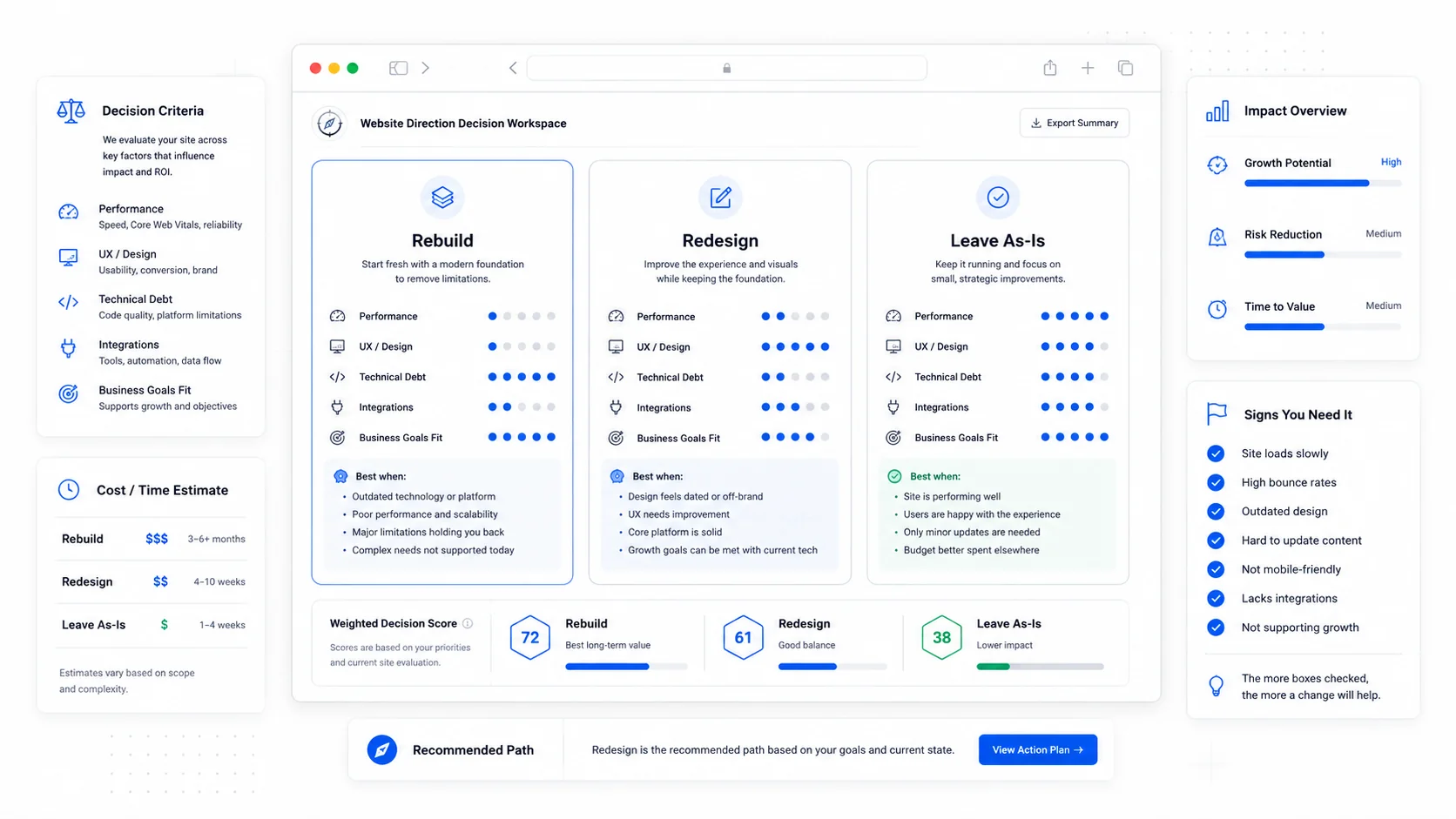
Every business owner with a website that is more than three years old eventually faces the same decision. The site looks dated, performs unevenly, costs more to maintain than it used to, and somebody on the team starts saying "we need a new website." That is usually the wrong framing.
The right framing is a three-way choice: rebuild from scratch, redesign on the existing platform, or leave it alone and spend the money somewhere else. The cost difference between those three paths is large, and the right answer depends on signals that are easy to read once you know what to look for.
This post is the framework we use when a client asks "should we redo our website?" The honest answer, more often than people expect, is "not yet."
Three Paths, Three Different Conversations
Before evaluating signals, get clear on what each path actually means.
A rebuild is a from-scratch project on a new platform or a clean codebase. Old design is discarded, content is migrated and often rewritten, URLs may change, the technology stack changes. Cost is the highest of the three. Risk is the highest of the three. Upside, when justified, is also the highest.
A redesign keeps the platform and the underlying structure but changes the design system, layout, and often the content. URLs usually stay. The CMS stays. Integrations stay. Cost is moderate. Risk is moderate. Upside is meaningful, but bounded by what the existing platform can do.
Leave it alone does not mean ignore the site. It means do targeted improvements on the current site (page speed, conversion tweaks, content updates, schema, accessibility) instead of a capital project. Cost is the lowest. Risk is the lowest. Upside is real but slow.
Most businesses default to "rebuild" because it feels decisive. Decisive is not the same as correct. Forrester's digital transformation research consistently finds that incremental improvement to existing properties produces higher returns than full rebuilds in two out of three cases, simply because rebuilds carry hidden costs (staff time, lost SEO, integration breakage) that the original business case usually under-counts.
Signals That Point to a Rebuild
A rebuild is the right answer when the existing site has accumulated enough structural problems that no amount of cosmetic work can fix it. The signals are usually some combination of these.
The platform itself is the problem. You are on a CMS or builder that no longer has a future, the original developer is gone, plugins keep breaking each other, or every change requires three workarounds. A platform that fights every improvement is the most common rebuild trigger. Our piece on migrating off WordPress covers the textbook example.
Tech debt has compounded past the threshold. Every change takes longer than the last. Bugs introduced six months ago surface in unrelated places. The codebase has files nobody understands. McKinsey's tech debt research puts the average enterprise at 20 to 40 percent of tech estate effectively obsolete, and the same dynamic plays out at small business scale: at some point, the cost of patching exceeds the cost of replacing.
Hosting costs are growing faster than the business. A site that cost $40 a month to host in 2022 now costs $200 because of resource creep, plugin licenses, and tier upgrades. Five years of compounding hosting bills can fund a meaningful chunk of a rebuild.
Bus factor is one. If the only person who understands the site leaves, you are in trouble. If you would not survive that person leaving for a month, the platform is fragile, regardless of how the front end looks.
The site cannot do what the business now needs. You have outgrown a brochure site. You need a client portal, a booking system, multilingual content, programmatic SEO pages, or integration with a CRM that the current platform cannot support cleanly. Bolting these on is sometimes possible, but the result is usually worse than starting fresh.
Core Web Vitals are deeply red and structural. Slow performance from oversized images and missing caching is fixable. Slow performance because the framework itself ships 2 MB of JavaScript on every page is not. web.dev's vitals guidance explains why platform-level performance matters: it is not just SEO, it is conversion. Google's page experience research shows users abandon pages that take more than 3 seconds to load, and the abandonment curve gets steeper every year.
Security incidents have happened or are imminent. A breach, a malware insertion, a defacement, or a string of failed login attacks. Once the site is on the wrong end of a security incident, trust in the platform is gone, and a rebuild on a more defensible stack is usually warranted.
If three or more of these signals are present, you are in rebuild territory. Two signals usually mean a redesign is enough. One signal is almost always a leave-it-alone case with targeted fixes.
Signals That Point to a Redesign
A redesign keeps the bones but updates the design, content, and conversion mechanics. It is the right answer when the technology is fine but the experience is not.
Conversion rate is below benchmarks for your industry. WordStream's conversion benchmarks put service business conversion rates between 2 and 5 percent. Sites well below this range usually have a design or messaging problem, not a platform problem. A targeted redesign focused on conversion design patterns often closes the gap without touching the underlying tech.
Branding has changed but the site has not. New logo, new positioning, new service lines that the current site does not reflect. The platform is fine. The visual and content layer is the problem. A redesign is the cheapest fix.
The site looks dated but works. Visitors say it looks old. Analytics show acceptable performance. Forms work. Pages load reasonably fast. This is a redesign signal, not a rebuild signal. New design system, refined information architecture, sharper copy. Same platform.
Mobile experience is poor but desktop is fine. Most often, this is a design problem, not a platform problem. A mobile-first redesign on the existing platform usually fixes it. Pew Research's mobile usage data shows mobile is now the dominant channel for over 60 percent of small business website traffic, so this gap matters more every year.
You want better SEO but the platform supports it. Modern SEO is mostly about content structure, schema, internal linking, and topic depth. If your platform supports proper metadata, schema markup, and reasonable URL control, an SEO-focused redesign often gets you there without a rebuild.
We covered the practical mechanics of doing this safely in our SEO-friendly redesign checklist.
Signals That Point to "Leave It Alone"
This is the option businesses most often skip past, even when it is the right one.
The site is doing its job. Acceptable conversion rate, reasonable speed, no security issues, the team can update content without external help. Spending money to rebuild a working asset is a poor use of capital.
The business is in flux. Pivoting product lines, changing markets, considering an acquisition or a sale. The wrong moment to invest in a website rebuild is right before the business itself changes shape. Wait six months. Then decide.
Budget is better spent elsewhere. A small business with $20,000 to invest in growth often gets a better return from paid media, sales hiring, or internal tools than from rebuilding a website that already works. HBR's marketing ROI research makes the same point: capital efficiency means putting money into the channel with the highest marginal return, which is usually not the website if the website is already adequate.
The pain is recent. A bad week with the site is not a signal. A bad year is. Wait long enough to know whether the problems are structural or transient.
You inherited the project but inherited no data. New marketing lead, new owner, new perspective. The temptation to rebuild as a way of putting your stamp on things is real. Resist it until you have at least 90 days of analytics under your belt. The site you want to rebuild on day 30 is often the site you decide to leave alone on day 120 once you understand what it is doing.
A leave-it-alone decision is not passive. It usually comes with a list of targeted improvements: page-speed optimization, schema markup, conversion-focused tweaks to the top three landing pages, and a maintenance plan so the site does not silently rot.
A Decision Framework You Can Run in 30 Minutes
When a client asks us this question, we walk through a short evaluation. You can do it on a notebook page.
- Pull the last 12 months of analytics. Note traffic, conversion rate, and revenue attributable to the site.
- Run the top 10 landing pages through PageSpeed Insights. Note Core Web Vitals scores for mobile.
- Count the security and stability incidents in the last 12 months that required a developer.
- Count the number of times in the last 12 months you wanted to make a change and could not, or had to pay someone else to do.
- Estimate annual hosting plus maintenance plus emergency dev time. Compare to the cost of a rebuild amortized over 4 years.
- Identify the three things the business needs the site to do in the next 18 months that it currently cannot.
- Identify the bus factor. If the person maintaining the site disappeared for 30 days, what breaks?
Read the results honestly. If the site is converting, fast, and stable, leave it alone. If it is converting and stable but the design is hurting you, redesign. If it is unstable, slow, fragile, and blocking strategic work, rebuild.
Statista's global website spending data shows small businesses overspend on website projects more often than they underspend, almost entirely because the rebuild decision was made on aesthetics or vendor pressure rather than data.
The Hidden Cost Most People Miss
Whichever path you choose, factor in the cost of the path itself, not just the deliverable.
For a rebuild:
- 2 to 6 months of staff time across marketing, ops, and leadership.
- Risk of an SEO dip during the migration window, even with careful redirect mapping per Google's site move guidance.
- Risk of integrations breaking and requiring rework.
- Opportunity cost of every other initiative the team did not pursue while the project was in flight.
For a redesign:
- 1 to 3 months of staff time, mostly on content review and design feedback.
- Smaller SEO risk, but real if URL structure or core templates change.
- Some integration testing, less than a rebuild.
For leave-it-alone:
- A few hours per month of maintenance.
- Targeted improvements that compound over time.
- The discipline to actually do the small improvements rather than letting them slide for another year.
The hidden cost of leave-it-alone is the easiest to underestimate. A site that rots quietly for two years often becomes the rebuild you wanted to avoid.
How These Decisions Show Up in Real Projects
In our project portfolio, the split is roughly even. About a third of clients come to us for rebuilds because their existing platform has structurally failed them. About a third come for redesigns because the site works but is not converting or representing the brand well. The last third come asking for a rebuild and leave with a leave-it-alone-plus-improvements plan that solves the actual problem at a tenth of the cost.
The clients who land in the third bucket are not unhappy. They are relieved. They came in expecting a $30,000 capital project and walked out with a $3,000 set of targeted improvements that fixed the conversion problem the rebuild was supposed to solve.
A vendor who is willing to talk you out of a project is rare. They are also the right kind of vendor.
Action Items
If you are sitting on the rebuild-vs-redesign-vs-do-nothing question right now:
- Run the 7-step evaluation above on your current site this week.
- Look at the last 12 months of analytics, not the last 30 days. Recency bias makes everything look worse than it is.
- Get a second opinion from someone who does not stand to make money on the answer.
- If you do choose a rebuild, plan for the SEO migration carefully, not as an afterthought.
- If you do choose a redesign, focus the budget on the pages that already drive conversions.
- If you choose leave-it-alone, list the targeted improvements and actually do them. Do not let it become a default.
A website is a long-lived asset, but it is not eternal. The question is not whether to invest in it. The question is which kind of investment has the highest return right now, and that answer is rarely obvious without a calm look at the numbers. If you would like a second opinion on which path is right for your site, get in touch through our contact page or browse our blog for more on the trade-offs.
More posts from the blog.
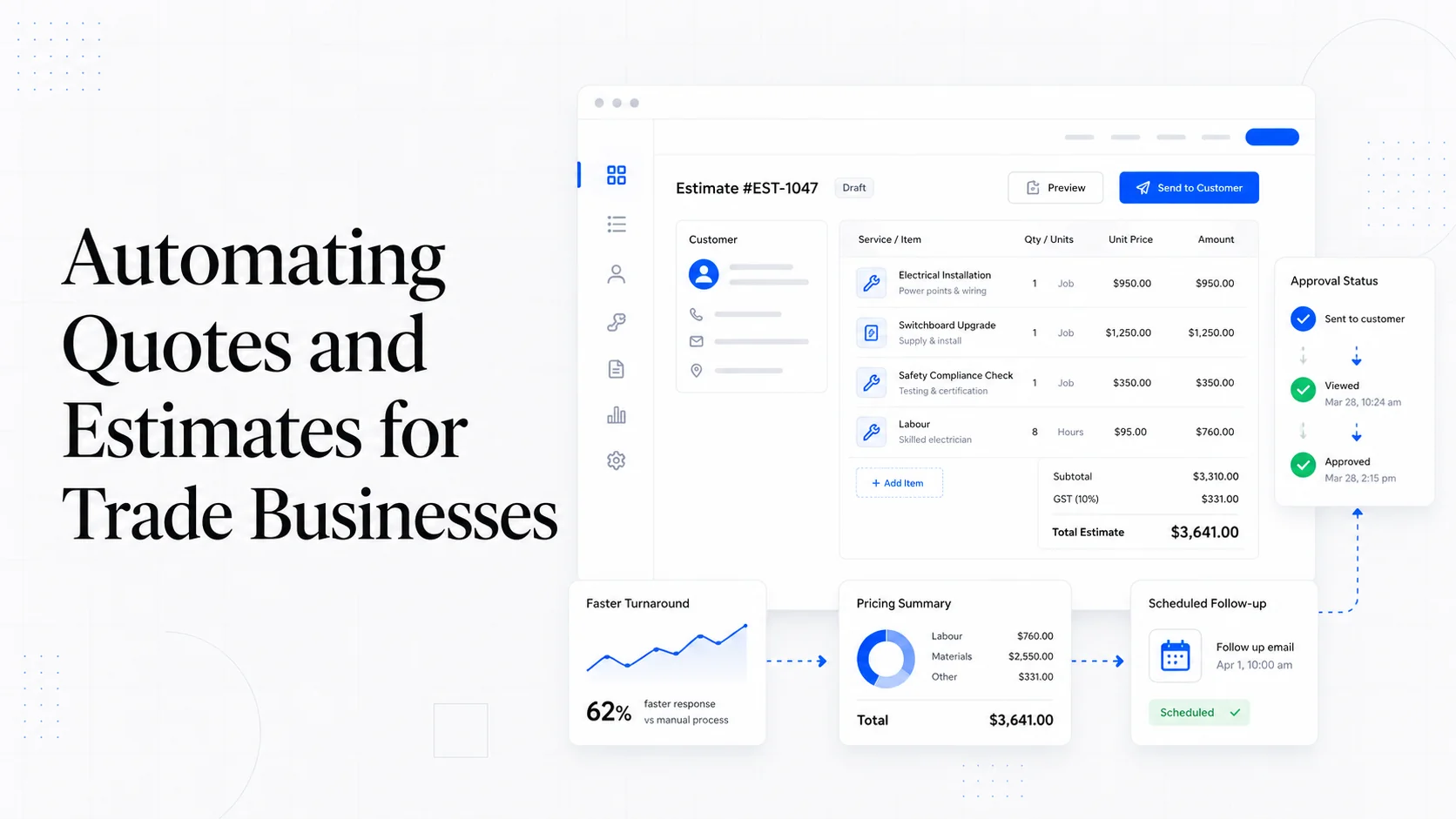
From Contact Form to CRM: The Minimum Lead Pipeline Every Service Business Should Automate
A practical lead pipeline for service businesses: connect forms, calls, email, CRM records, reminders, follow-ups, and reporting so good leads stop disappearing.
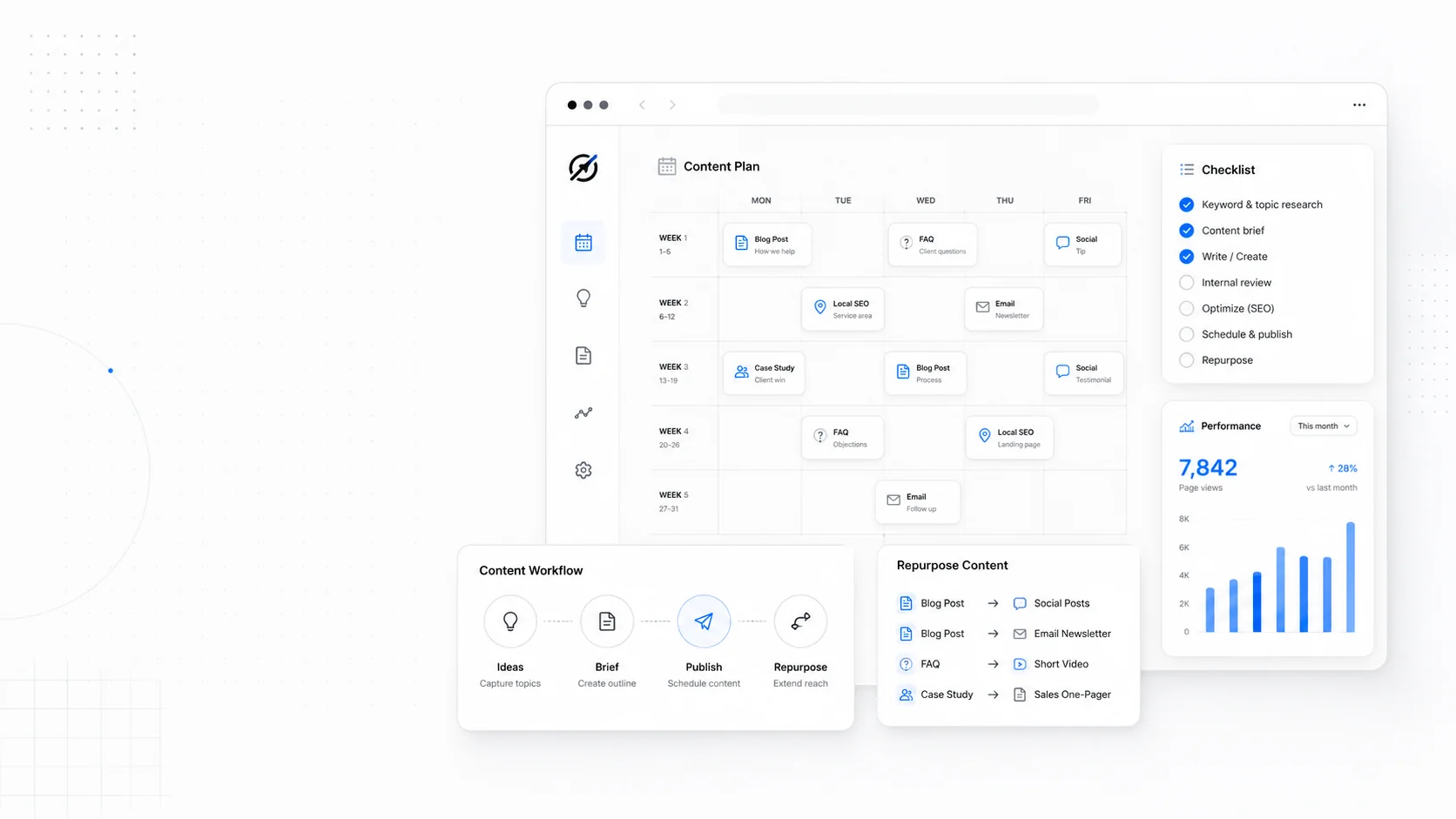
The 2026 Website Content Refresh Playbook: Updating Old Pages Without Breaking SEO
A practical content refresh process for small business websites: how to update stale pages, preserve rankings, improve AI search visibility, and avoid SEO mistakes.

The AI Chat Widget Decision: When It Helps Leads and When It Hurts Trust
AI chat widgets can qualify leads and answer common questions, but they can also slow the site, invent answers, mishandle privacy, and damage trust. Here is how to decide.
Keep reading?
More field notes from building modern websites and software for real businesses.